Showing posts with label NukeDuck. Show all posts

Sunday, September 22, 2019

Craft Convenience

The Craft Convenience mod adds more functionality to standard Minecraft recipes and even improves a few. For instance, you can still craft stained blocks but now you can craft multiples up to 8 at a time. Just place the blocks to be dyed in the same crafting table surrounding a single piece of dye. This allows for gathering dyed materials at a much faster rate.
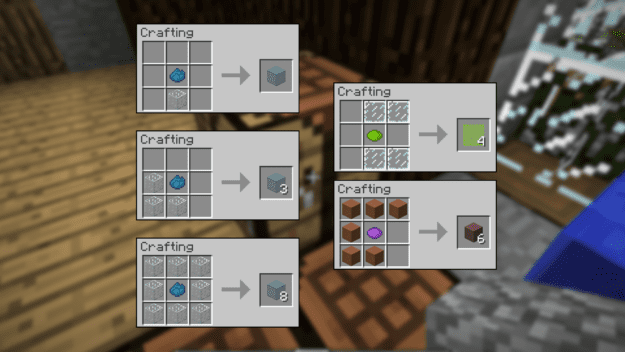
stained
The same technique can be applied using blocks of slimeballs to make sticky pistons.
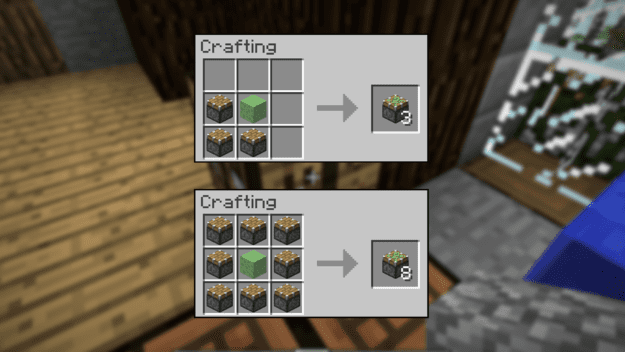
pistons
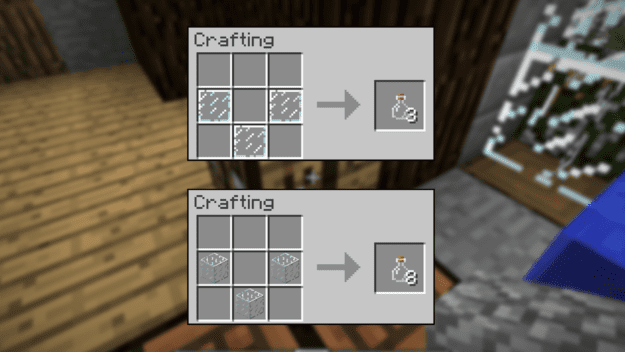
And now you can craft stairs with a much simpler recipe as well as using far less materials. Glass bottles can also be crafted with either glass panes or glass blocks. Panes yield 3 and blocks yield 8 bottles.
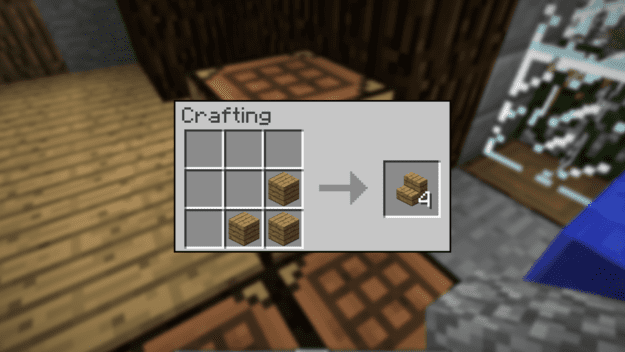
stairs
glass
Even better with this mod is that you can easily upgrade your wooden tools using the proper ingots placed like the tools they represent.
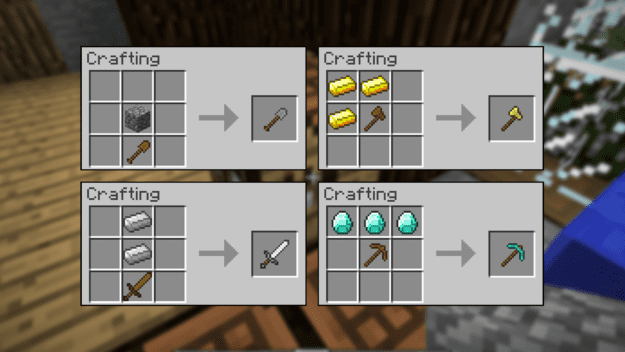
tools
Download

Thursday, August 15, 2019

Wall Jump

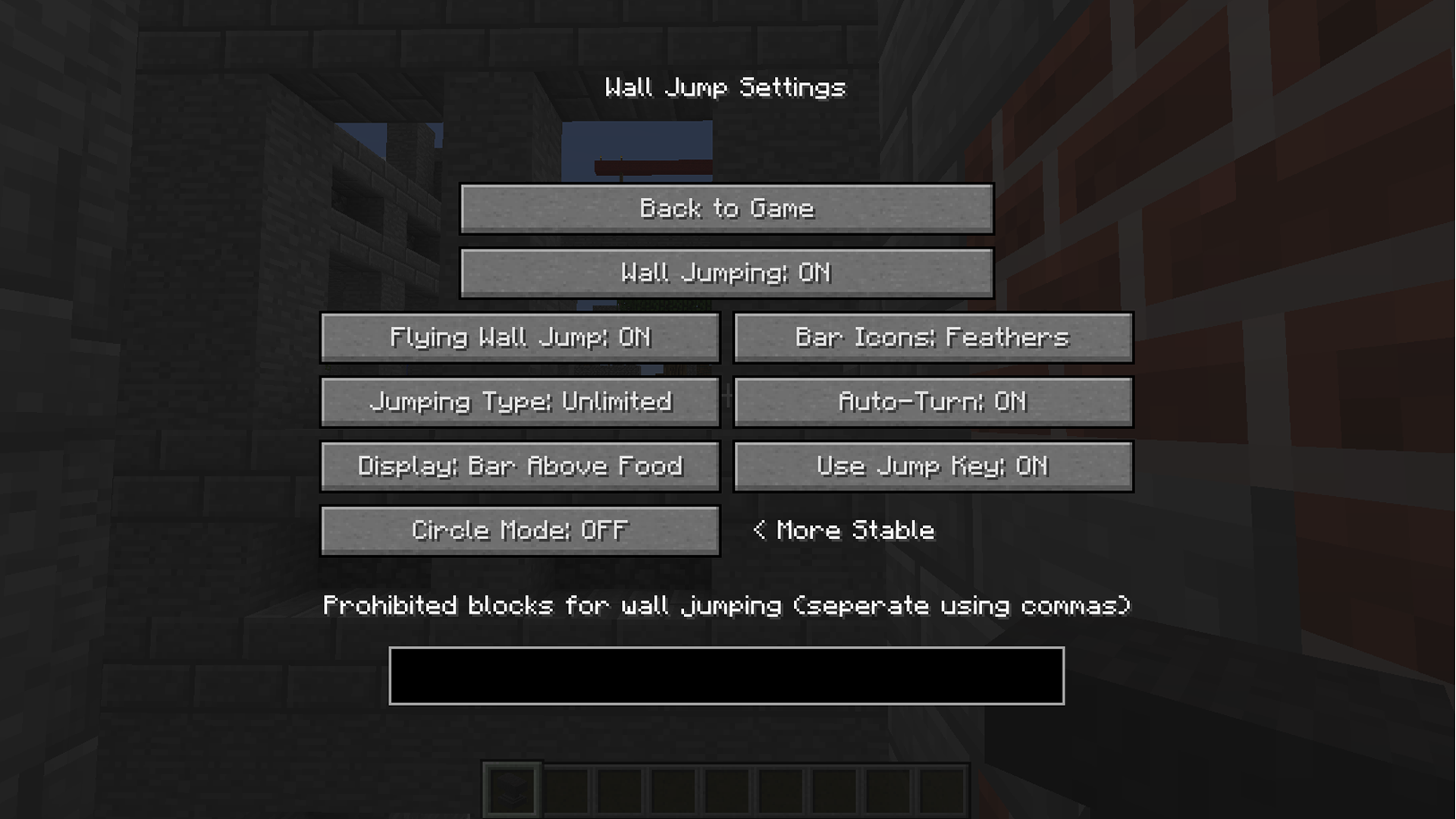
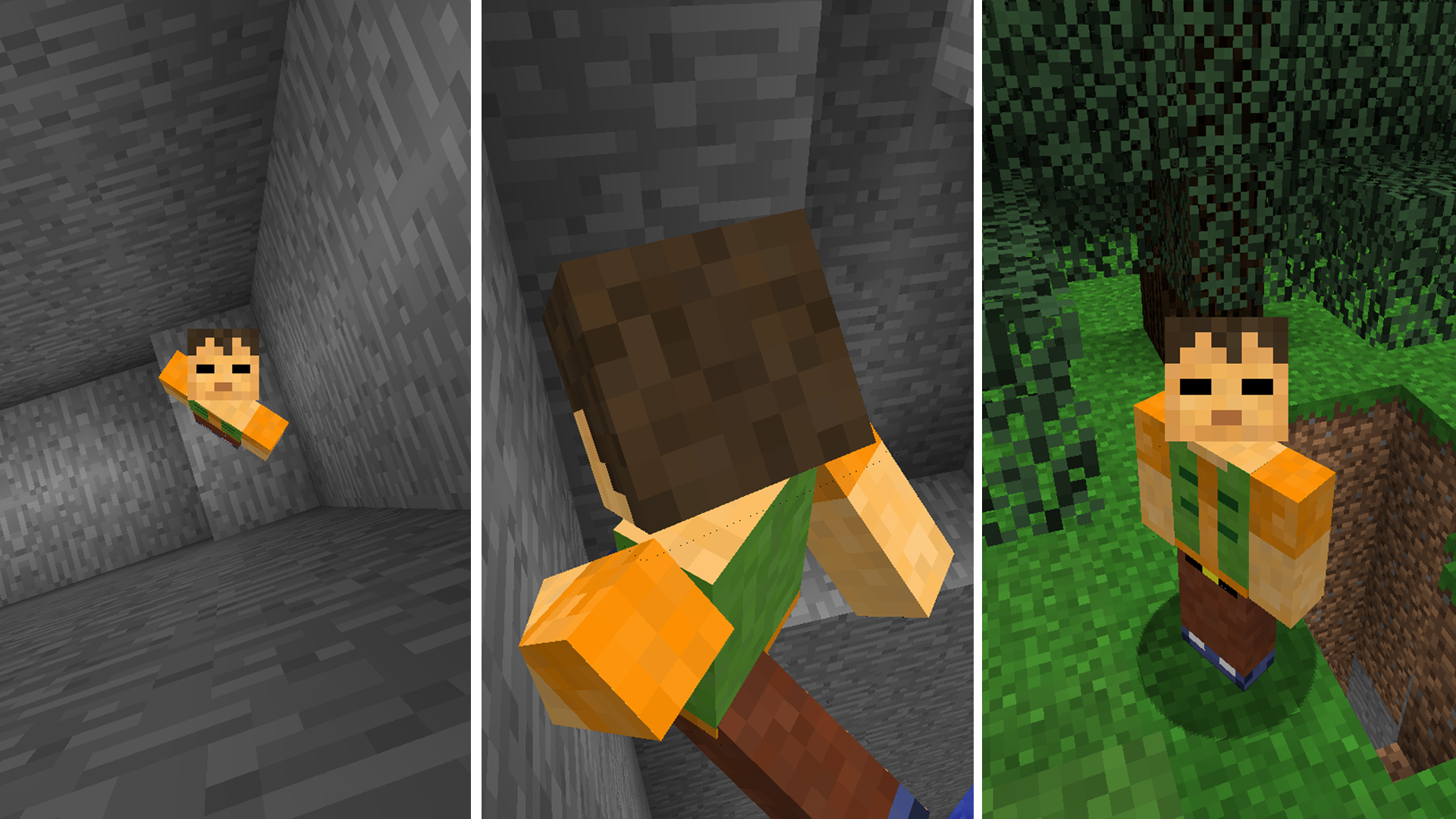
The Wall Jump mod adds a double jump to Minecraft to aid in hopping a few blocks higher than normal height. By hitting ‘J’ you’ll open up the settings for the mod and you can customize a few aspects to suit your needs. The big option there being the ‘auto-turn’ function. This will determine if you do a 180 degree turn after your jump or if you simply jump a bit extra off the wall.
Settings
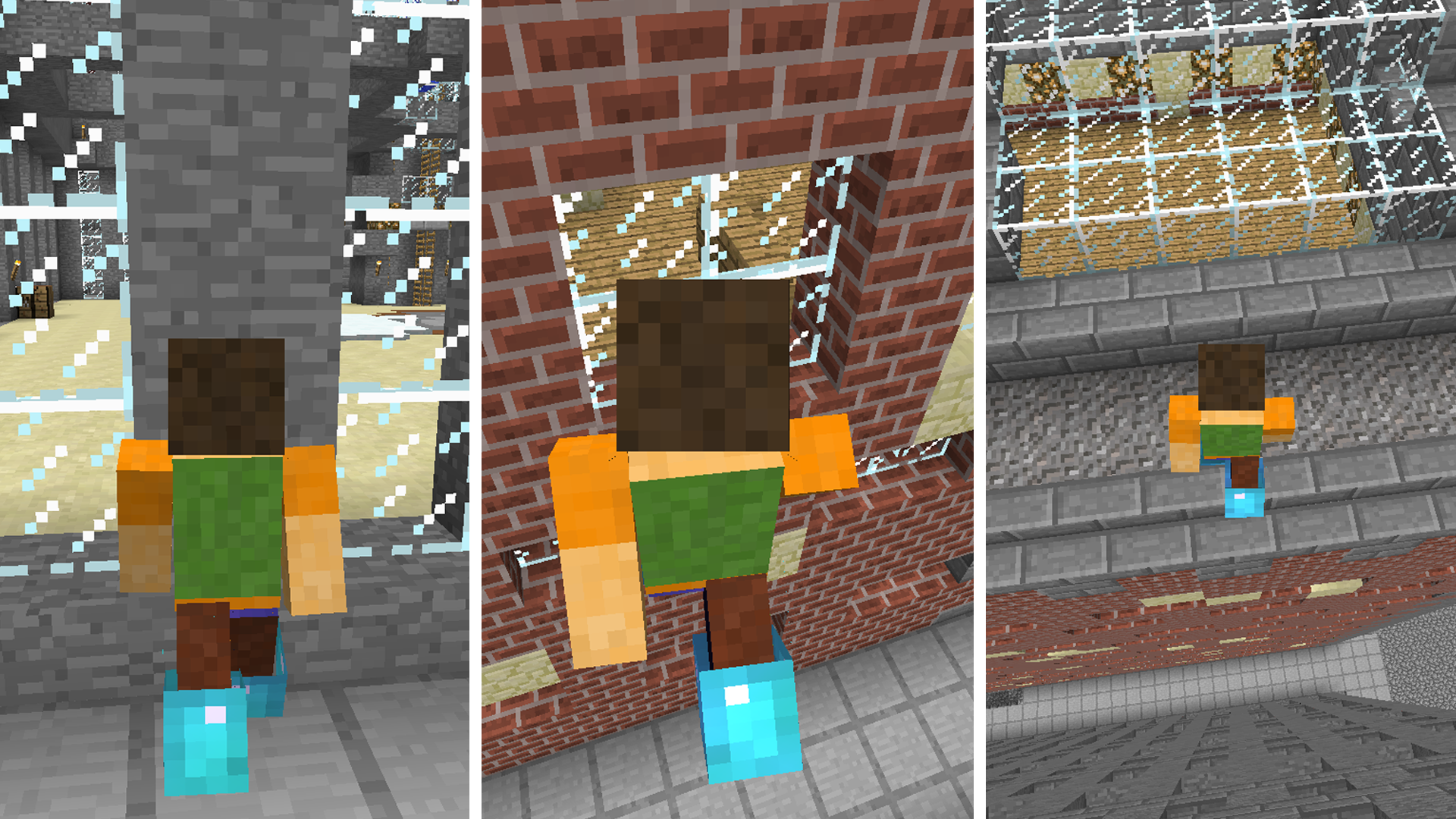
At some point in the game you may come across an area that you’d prefer to get to by jumping, whether it be by design or otherwise. You could even create a structure that’s only accessible by this method!
buildings
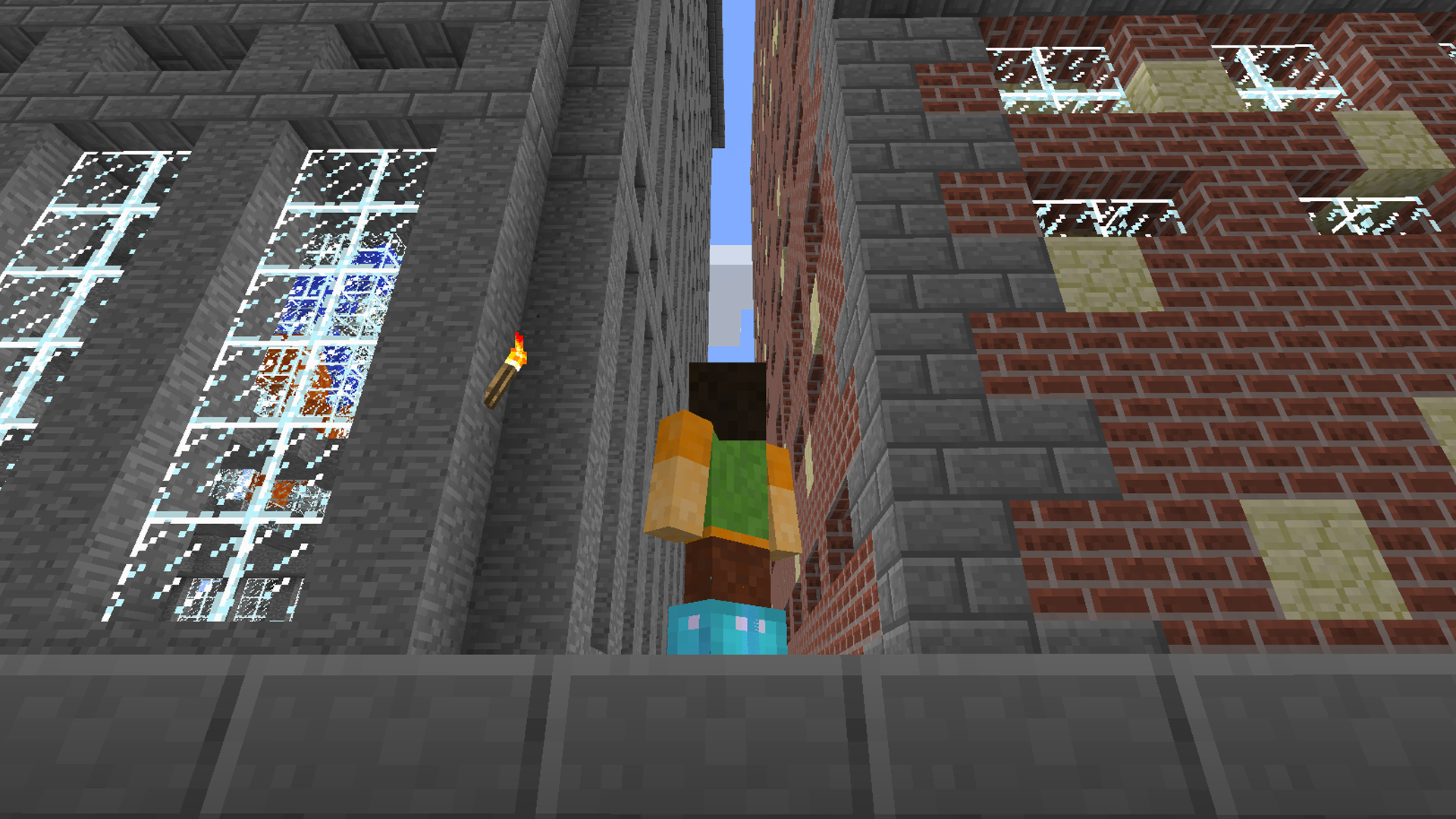
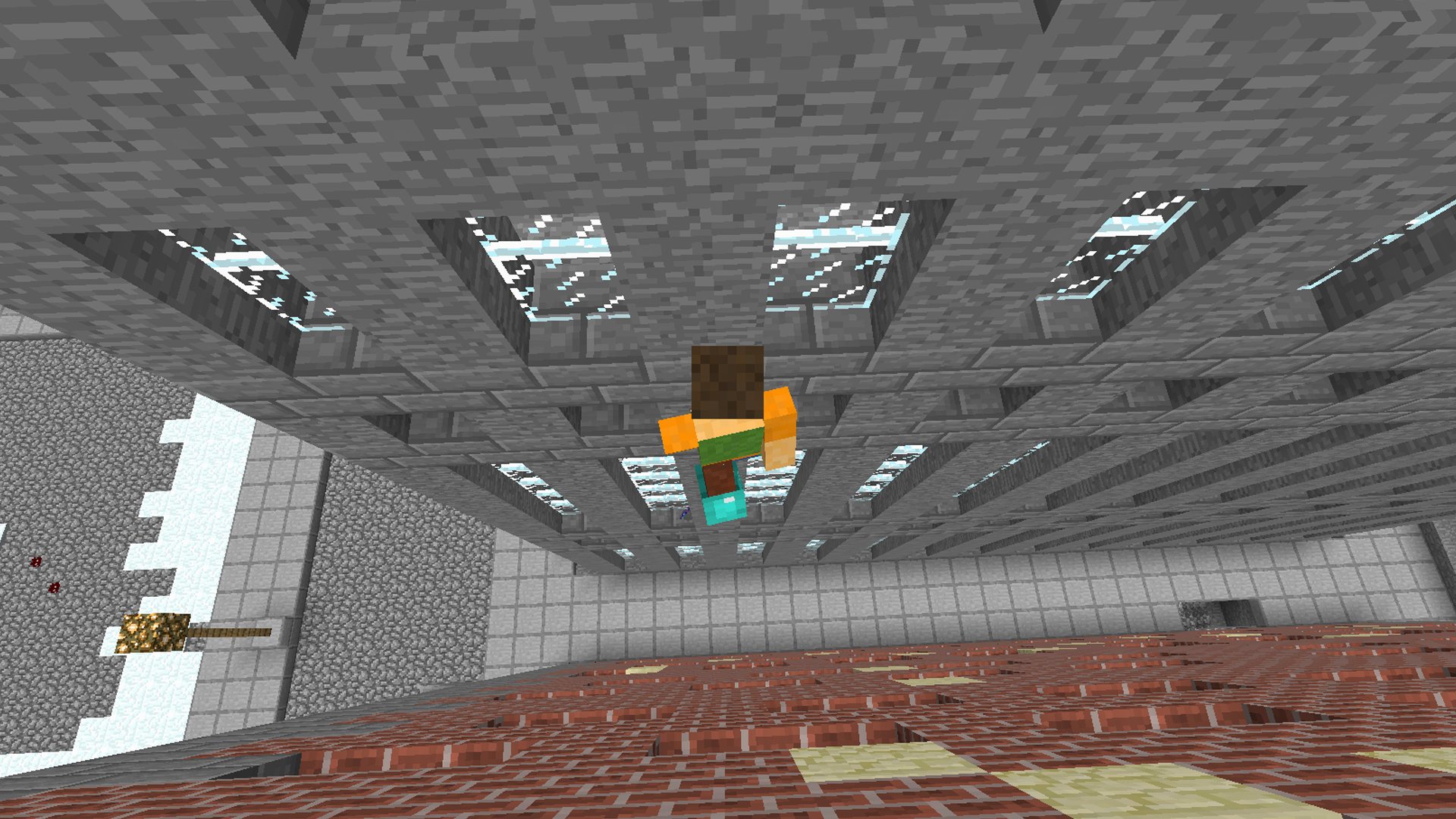
The double jump is easily achieved by running up to any wall, jumping, and then hitting the jump key again. If you have auto-turn on then you’ll quickly turn around to possibly jump up the next wall across from you. This makes it easier to scale adjacent walls in no time.
jumpUp
And if you find yourself falling from such a great height, you can save yourself by jumping on the nearest wall and getting yourself back up.
fall
This a particularly useful tweak to have when stuck in caves and canyons too. Night may be approaching or mobs nearby and a quick exit by double jumping a nearby ledge could be your saving grace.
cave
Download

Better HUD

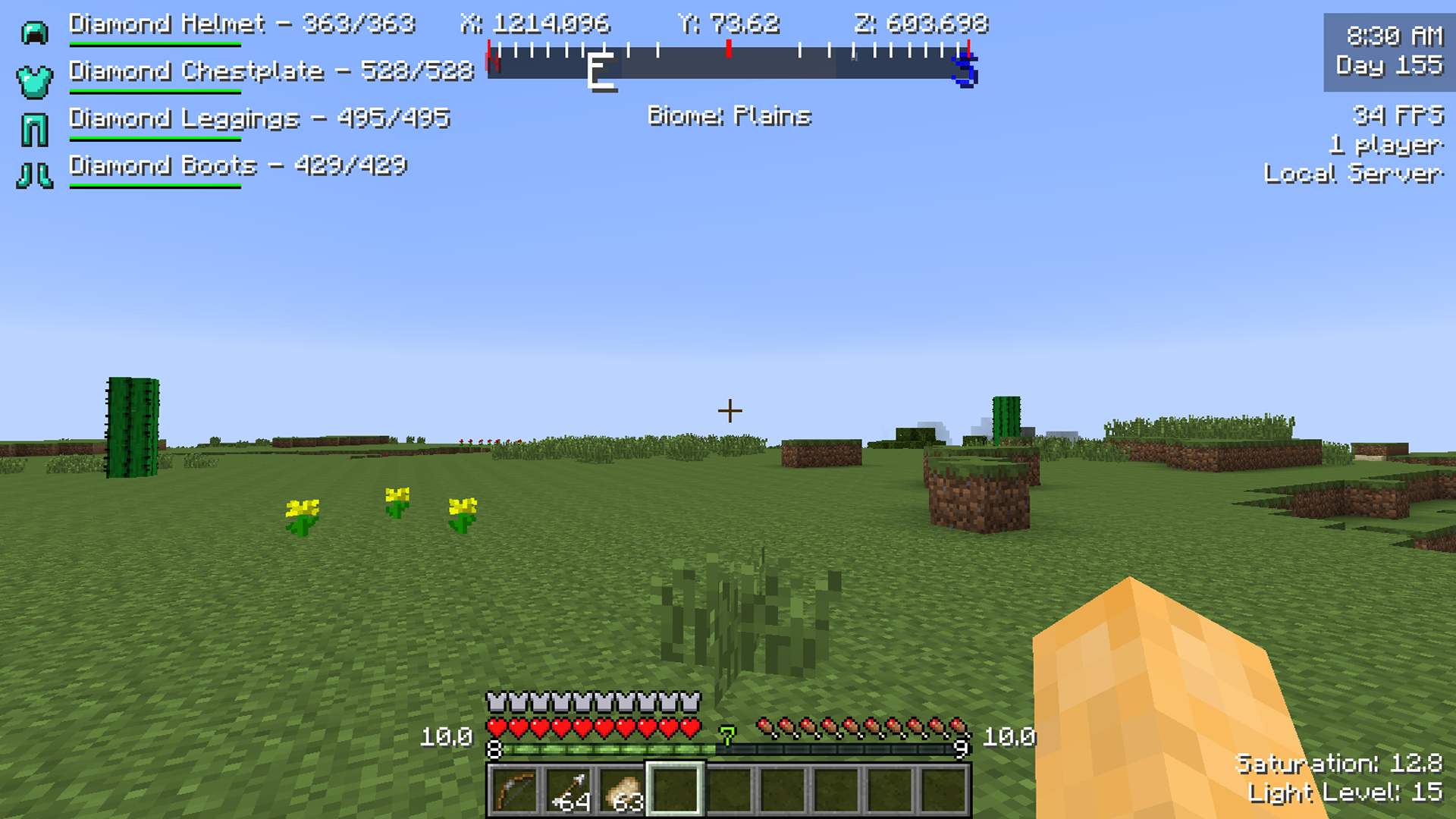
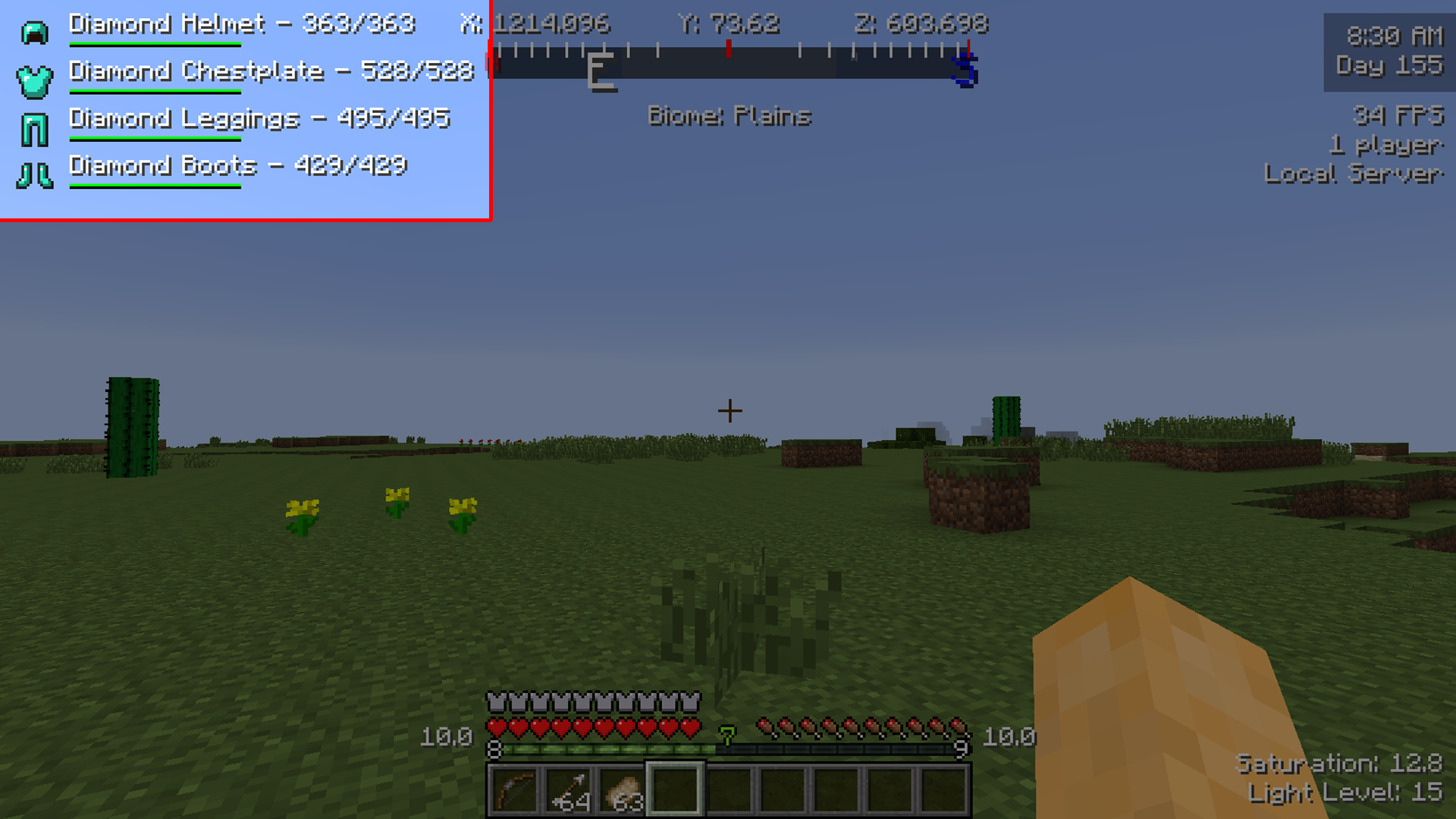
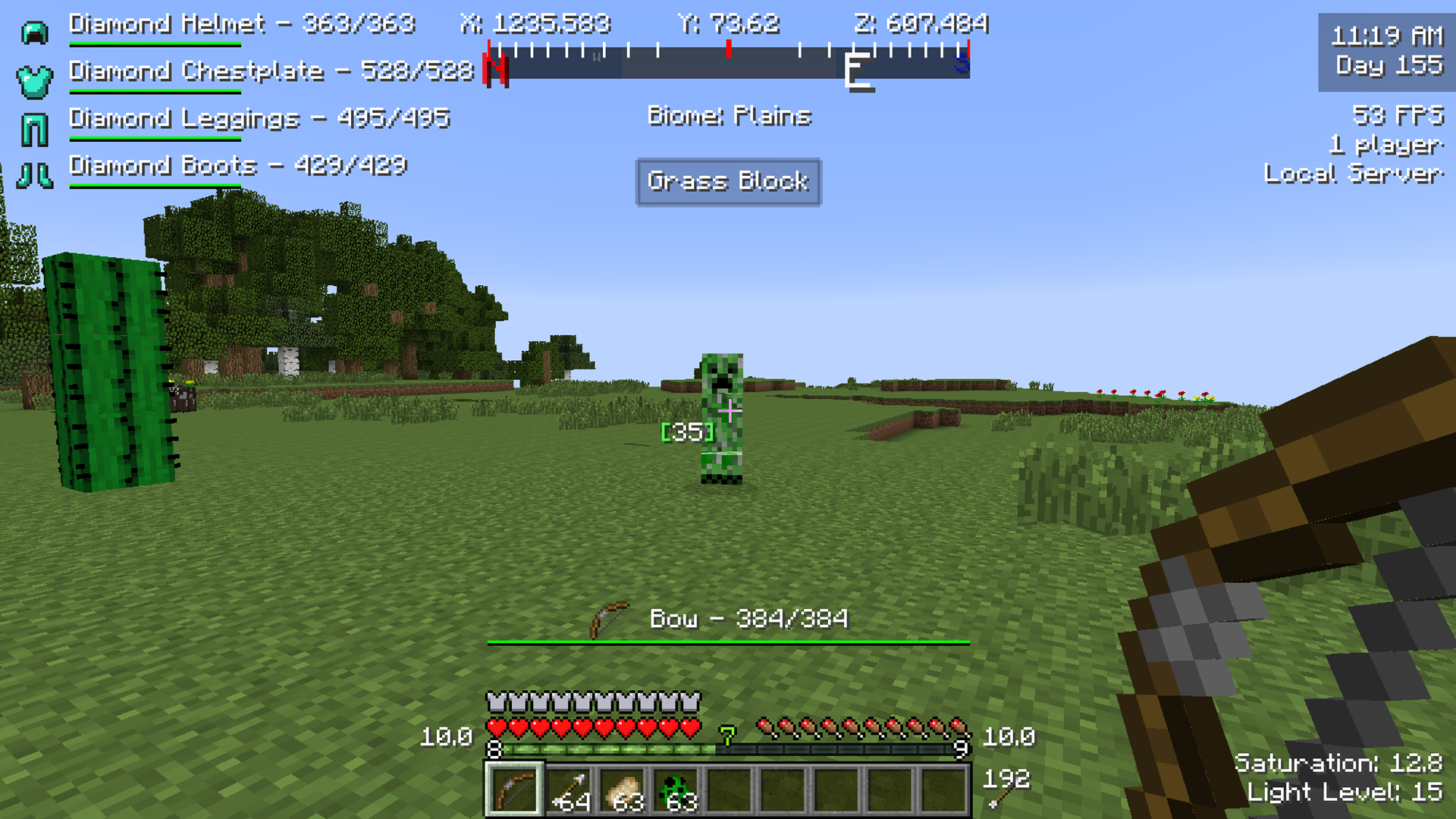
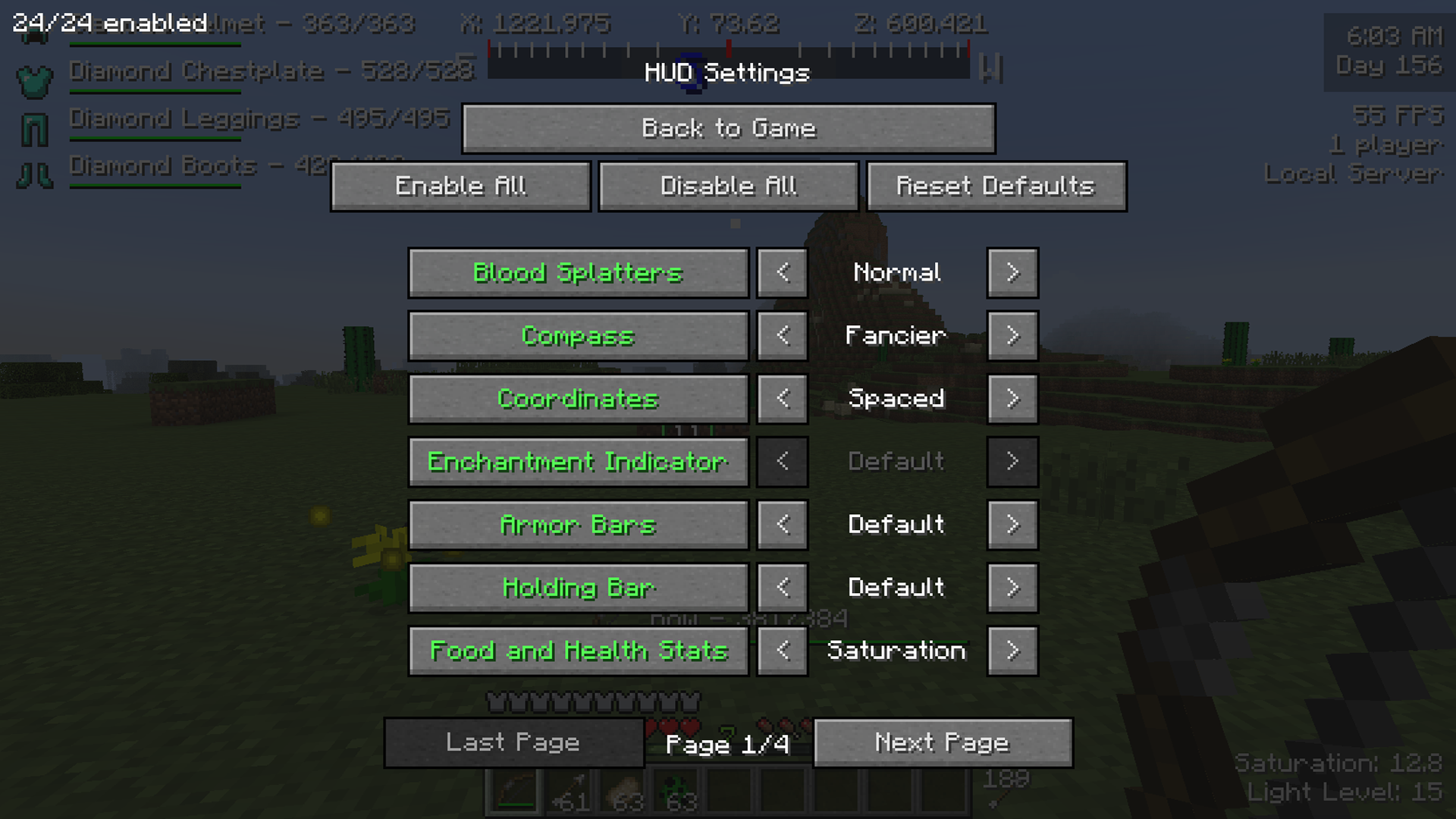
The Better HUD mod gives you much more customizability to what you see on the screen at all times. You will no longer be limited to the basic information pertaining to health, armor, food and inventory. And you won’t have to settle for the advanced info shown by pressing f3. Now you’ll have a simple HUD setup tailored to your needs without blocking crucial screen real estate.
HUD
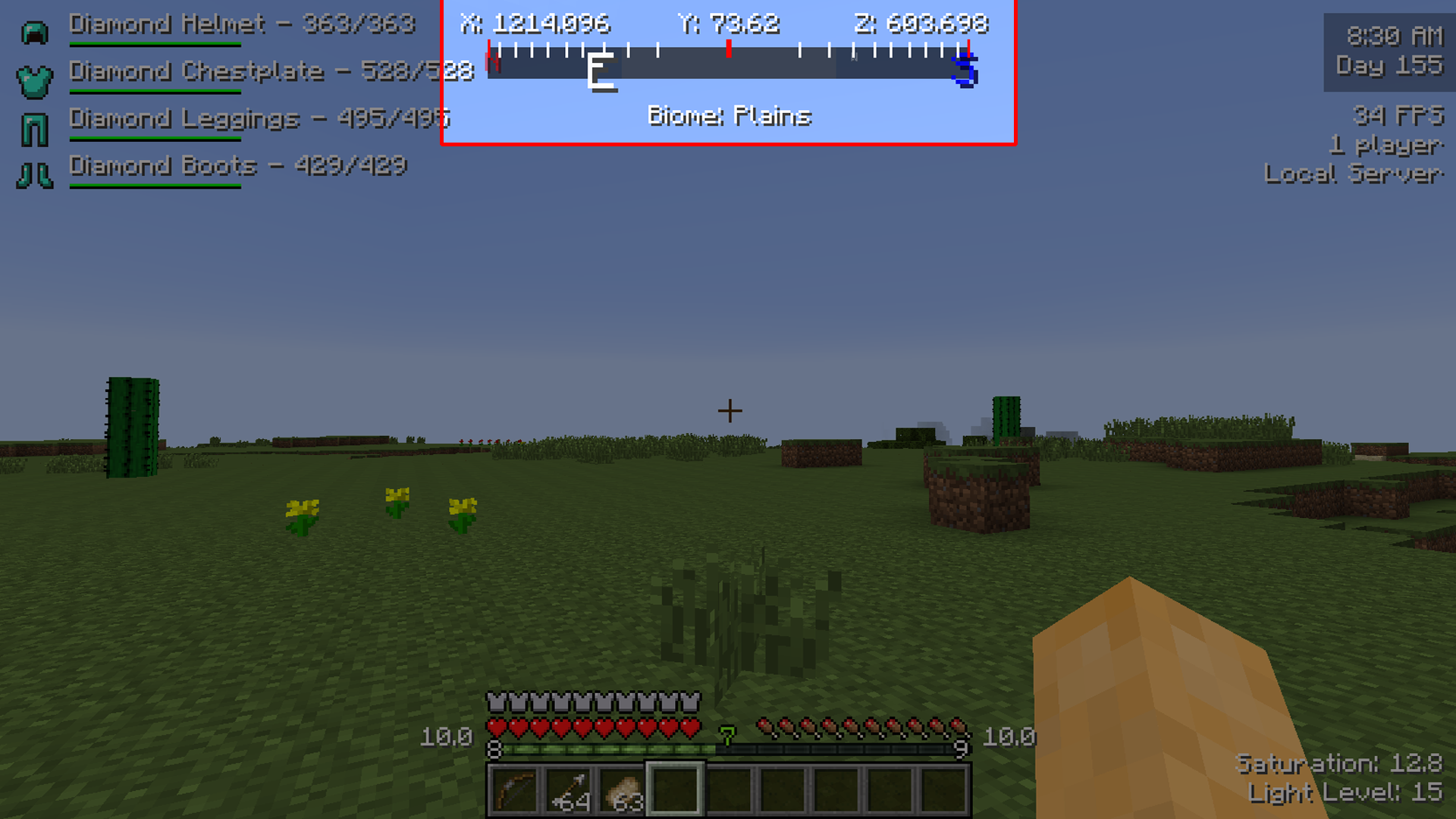
By default you’ll have a great deal of useful information displayed. A compass and coordinates along with biome type at the top.
compass
Your armor is beautifully displayed with damage listed beside it.
armor
Your arrow count is also now displayed openly so you can easily check if you’re running low.
arrows
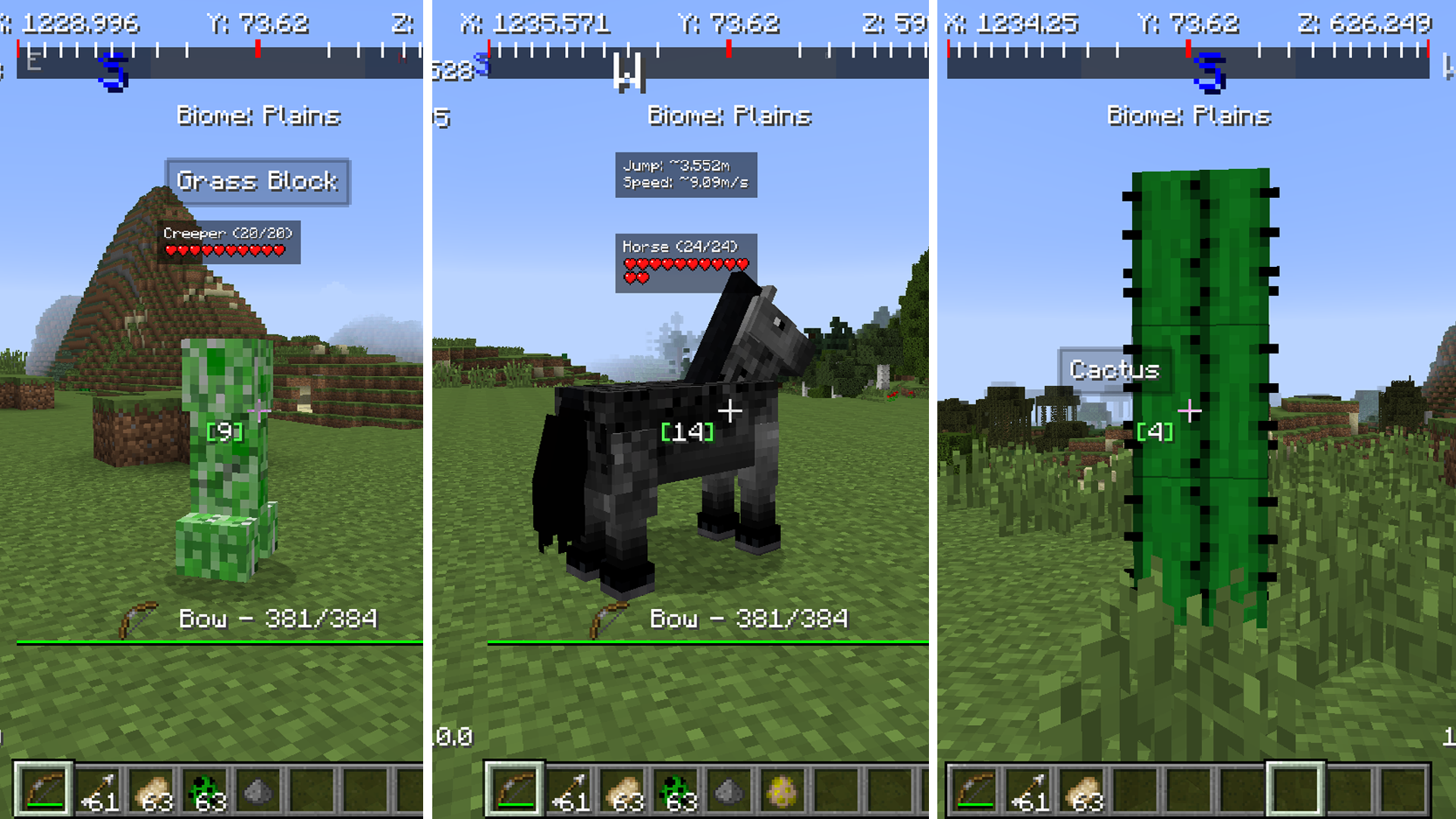
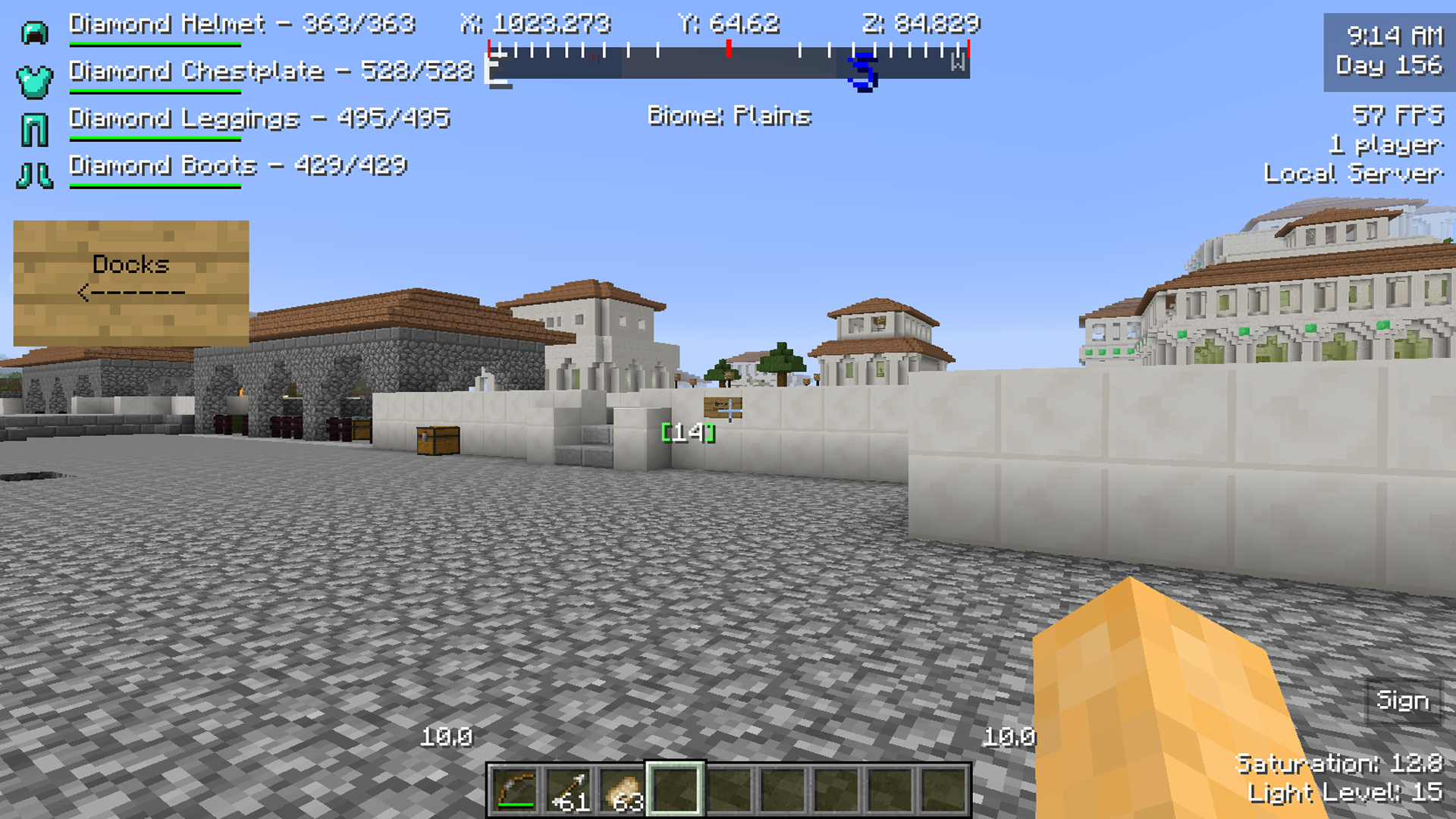
But the most helpful parts of this mod are the little instances that display when exploring the world. Mob, horse and block info will show up when pointing at each. And signs can be read from far away with a simple display that pops up if you point at it. This will work up to 200 blocks away!
mobhorseblock
Sign
All of this is able to be customized by hitting the ‘u’ key. This will bring up the mod’s settings and you can configure the HUD to look however you see fit. Most of the items can be moved around on the screen or disabled altogether.
settings
Download