Showing posts with label Vazkii. Show all posts

Thursday, August 15, 2019

GenCreator

The GenCreator Mod is an incredibly easy way to create randomly spawning structures in your world. Essentially it allows you to create a structure, fill it with loot and mobs, and then export that so it will randomly spawn in a newly created world. It’s great for multiplayer servers and very customizable.
Structure
The first thing you’re going to do is create your structure. This can be a castle, a dungeon, a village, a house, you name it. Create anything you want. It might help to note that you can set which biome this creation spawns in so plan around making it look like it fits the environment. Then you’ll want to add what will spawn in it in terms of loot and mobs.
Loot
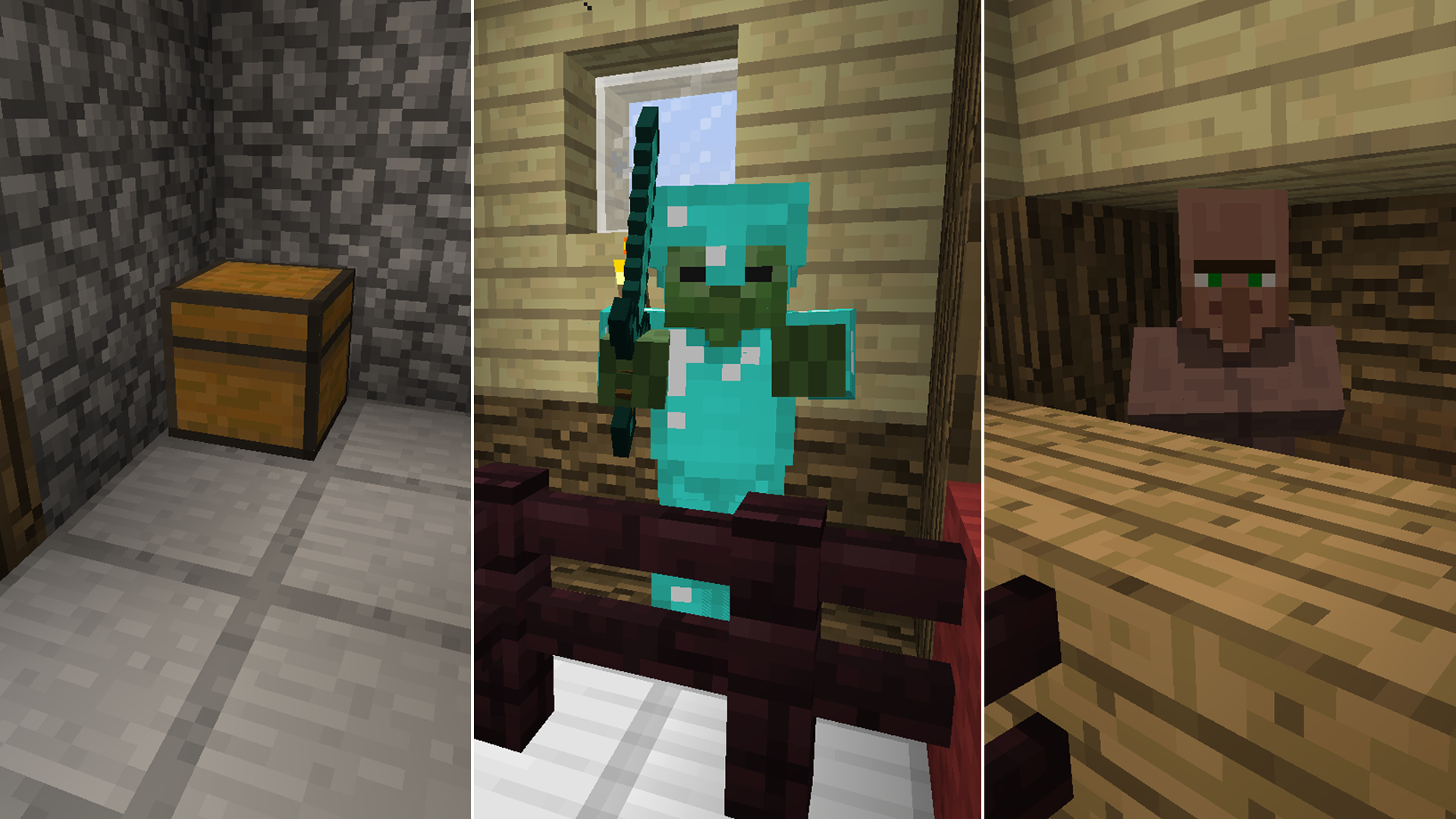
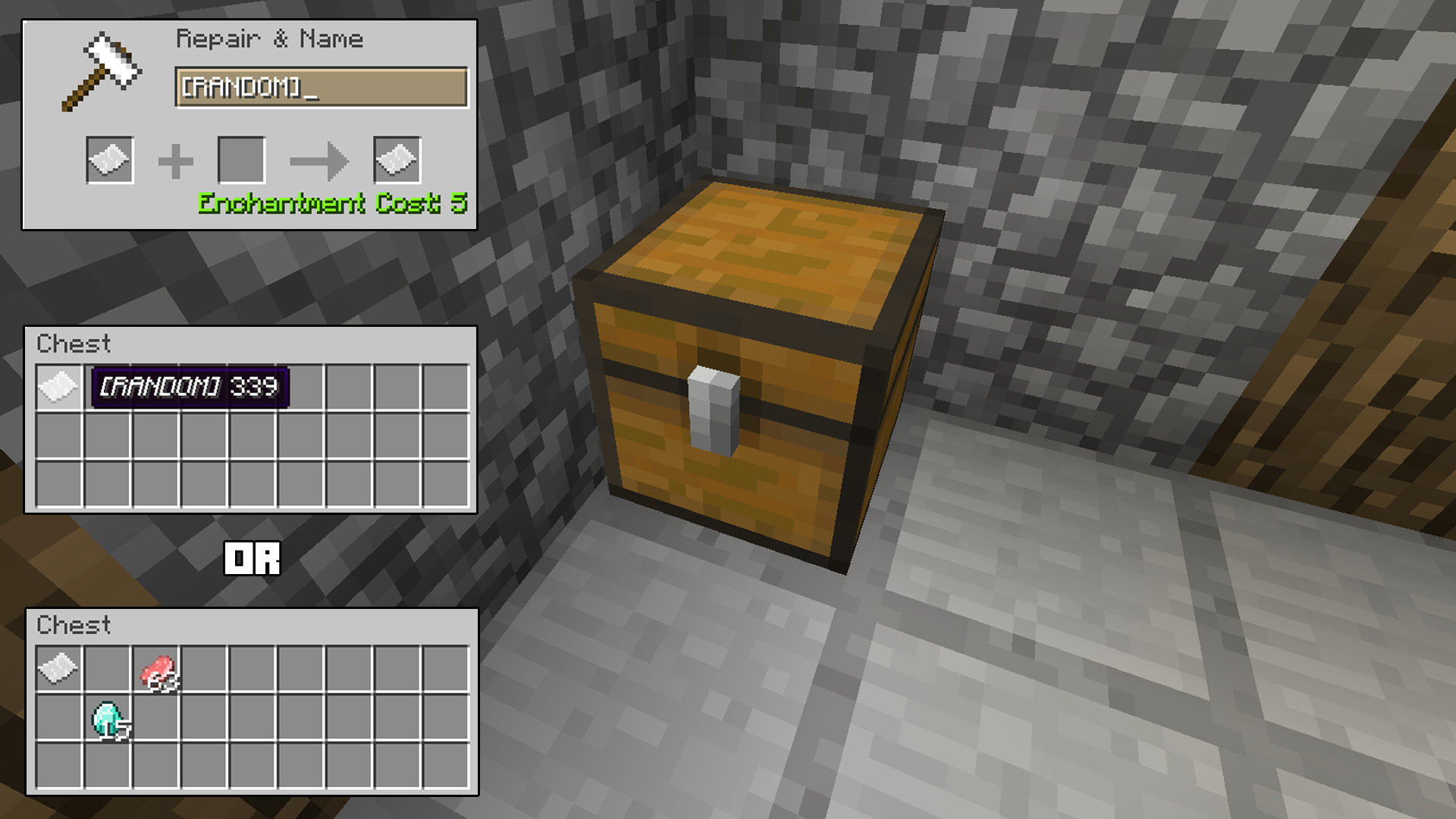
You will want to place chests in the spots you want things to spawn. If you want to have a loot chest spawn you have three options for what you’ll find. Craft a piece of paper and write ‘[RANDOM]’ on it. Place that in the chest and a random selection of items will spawn in it. You can also just place whatever items you want in the chest and that will be what spawns. Or you can do a combination of both.
ZombieVillager
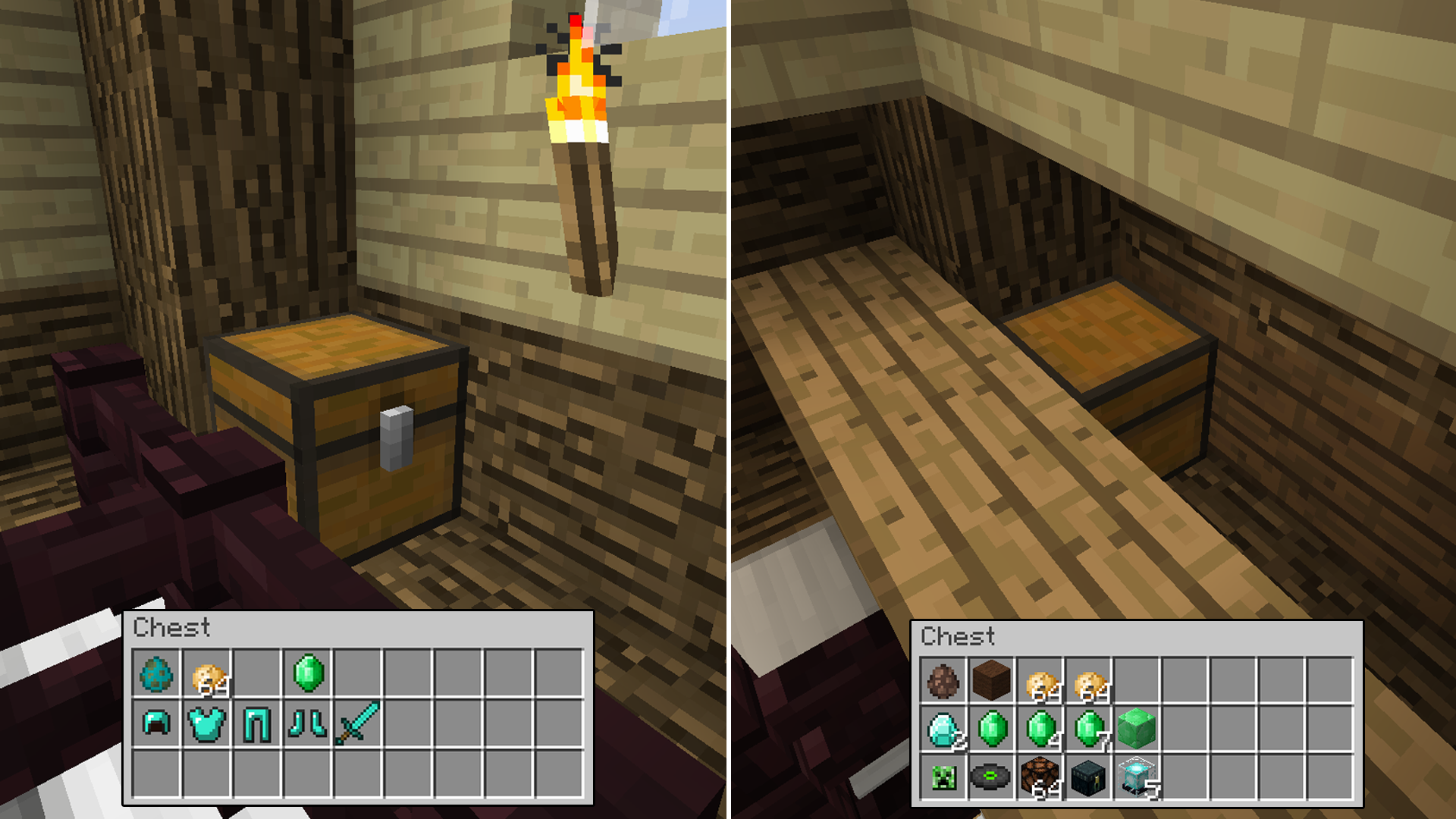
You can then set what mobs will spawn in your creation. It’s the same process but this will allow you to set what mob it is, how strong the it is, what sort of armor it wears and whether it will drop the items it’s carrying/wearing; that happens whether you add an emerald or not.
And then finally you can set the structure to have a trading villager. This works similar to the mob chest but now you can set what type of villager spawns and what he’ll trade for. The top row contains a villager egg. Wool next to the egg determines what type he’ll be. Pink gives you a priest, brown gives you a farmer, white a librarian and black gives you a blacksmith. Place a select number of potatoes next to that to determine how much health he has. Then below that place how much something will cost with what he’ll trade for below that. So for example place 1 emerald on the second line and below that place a music disc and that’s what the villager will trade for 1 emerald.
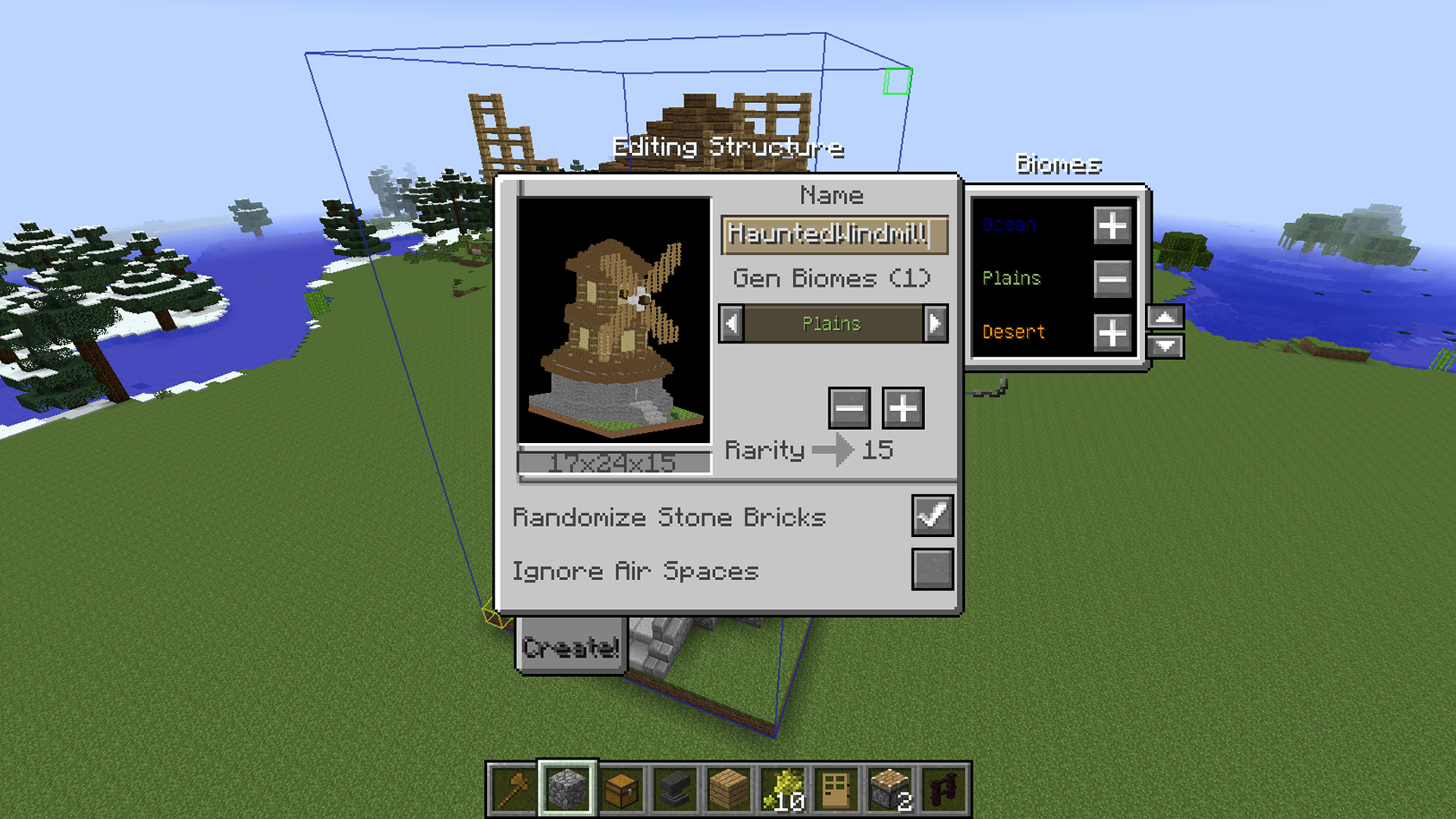
When you’re finished select the top and bottom diagonal corners of the structure by aiming at a block and pressing f10 so that you’ve made a complete selection of your structure. Then press f10 again to create the structure.
Selection
Generate
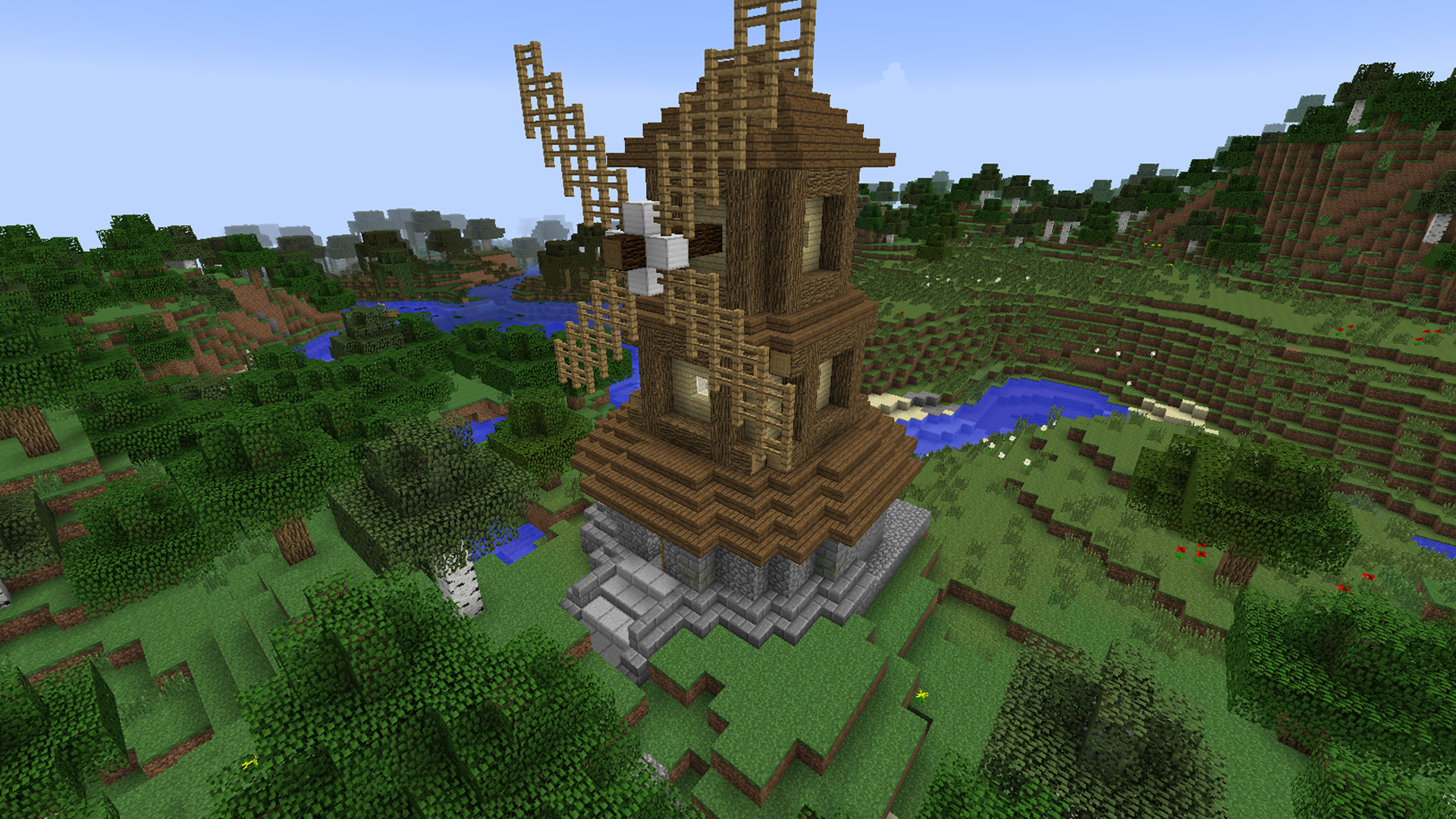
Here you’ll select the biome it spawns in and the rarity. Then select create and it automatically exports to the Minecraft config folder. All you have to do then is start a new world and find your structure.
Spawned
Afters
Download

Botania

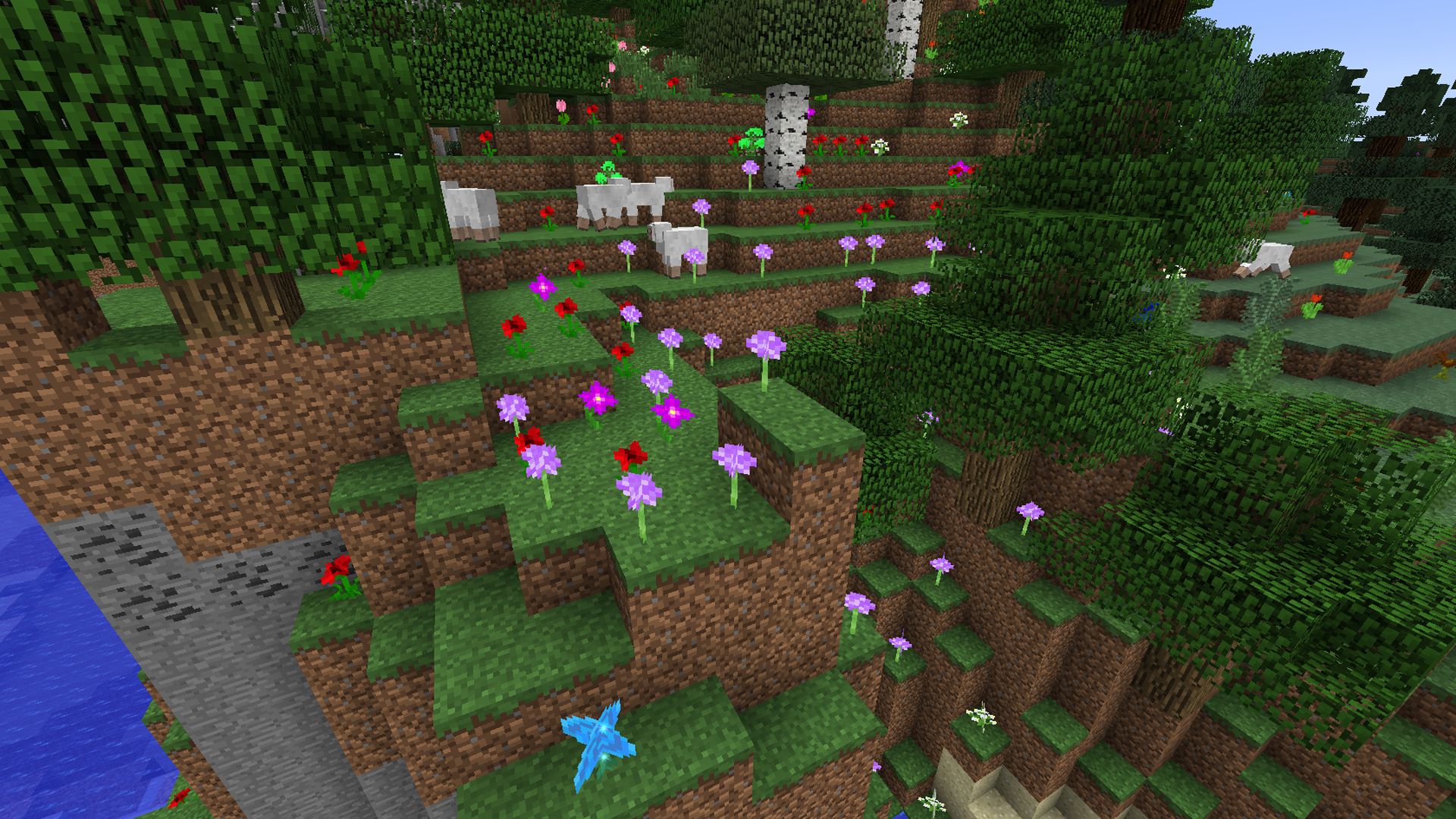
The Botania Mod adds a ton of new flowers to Minecraft. But it doesn’t stop at just making your world a little more fresh. With the new flowers come many new powers. Powers that can be used to make tools and weapons and items to enhance your world immensely.
Flowers
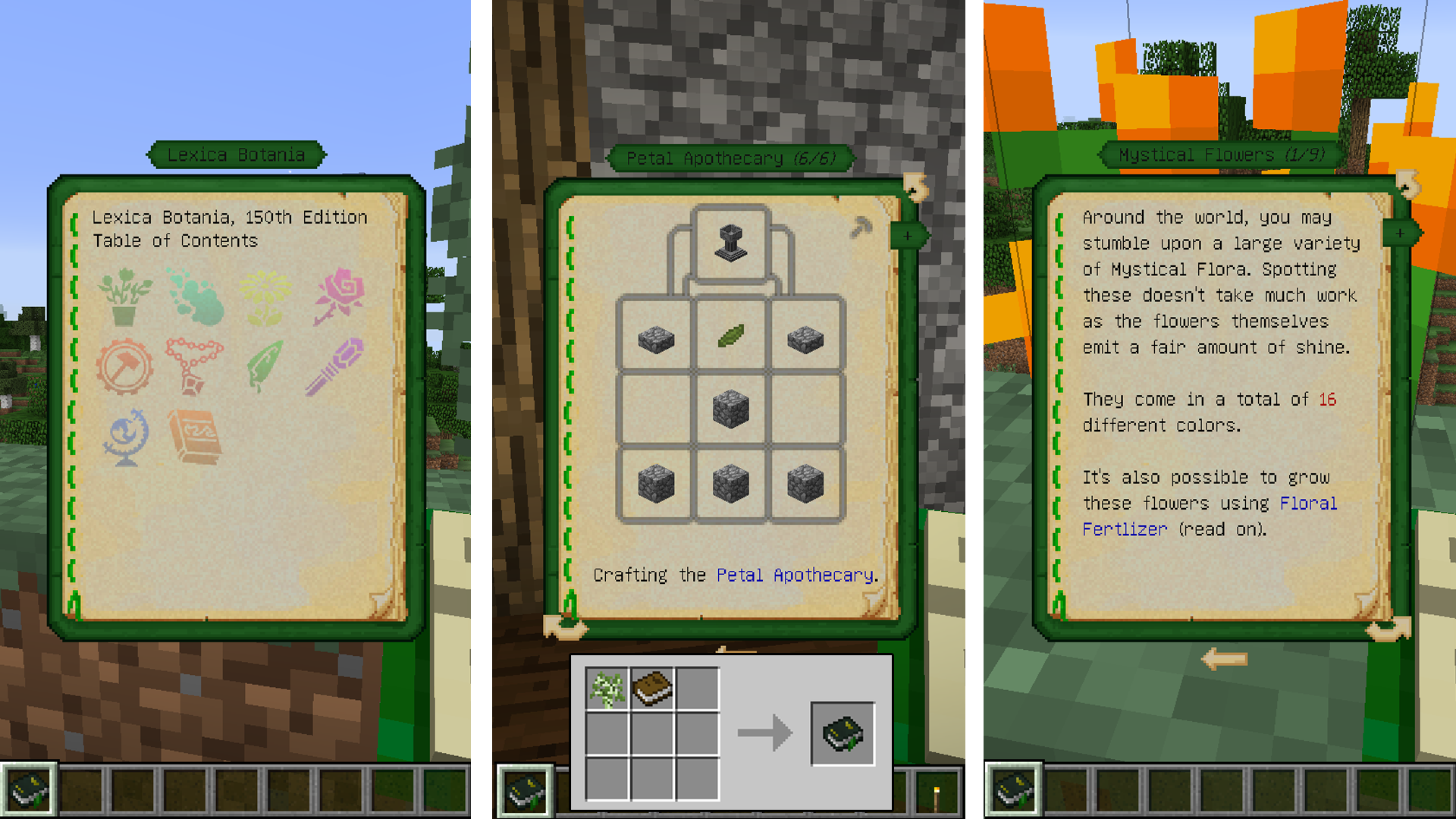
The first thing you’ll want to do is craft is the Lexica Botania. It will help guide you in your new floral environment. It has all the necessary recipes and information to make the most of this mod. The great thing about the Lexica is you can shift + right-click on any flowers you see in the world and get useful information for it either in game or linking you to the mod’s wiki page.
botaniainfo
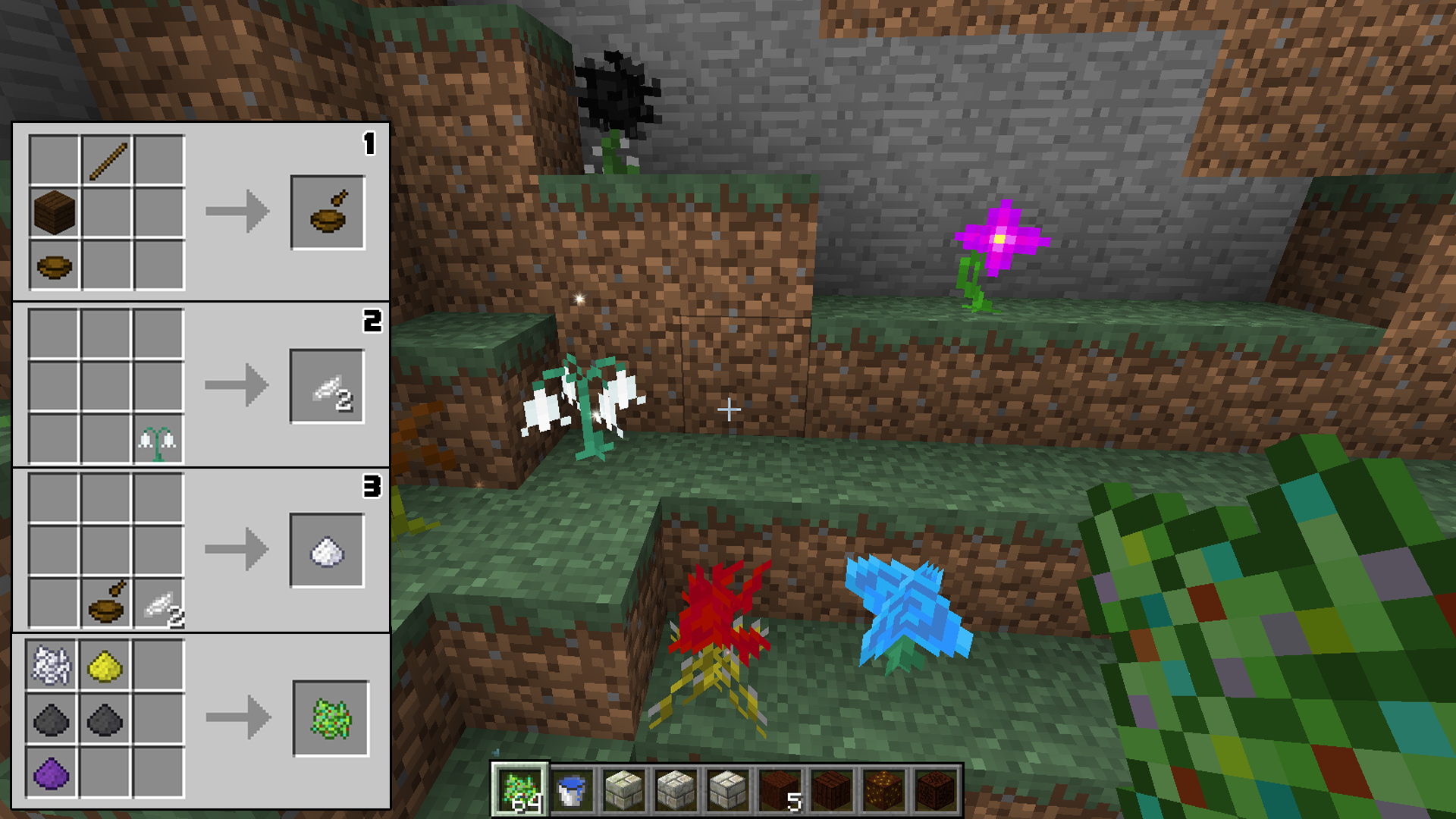
You’ll need to craft mortar and pestle to grind flower petals into powders. These can be used by themselves as dyes for clay or glass. Or they can be combined with bone meal and used as fertilizer. The neat thing about the fertilizer is you can right-click some grass and a random generation of flowers will appear. This is great for discovering new flowers you haven’t come across yet.
Fertilizer
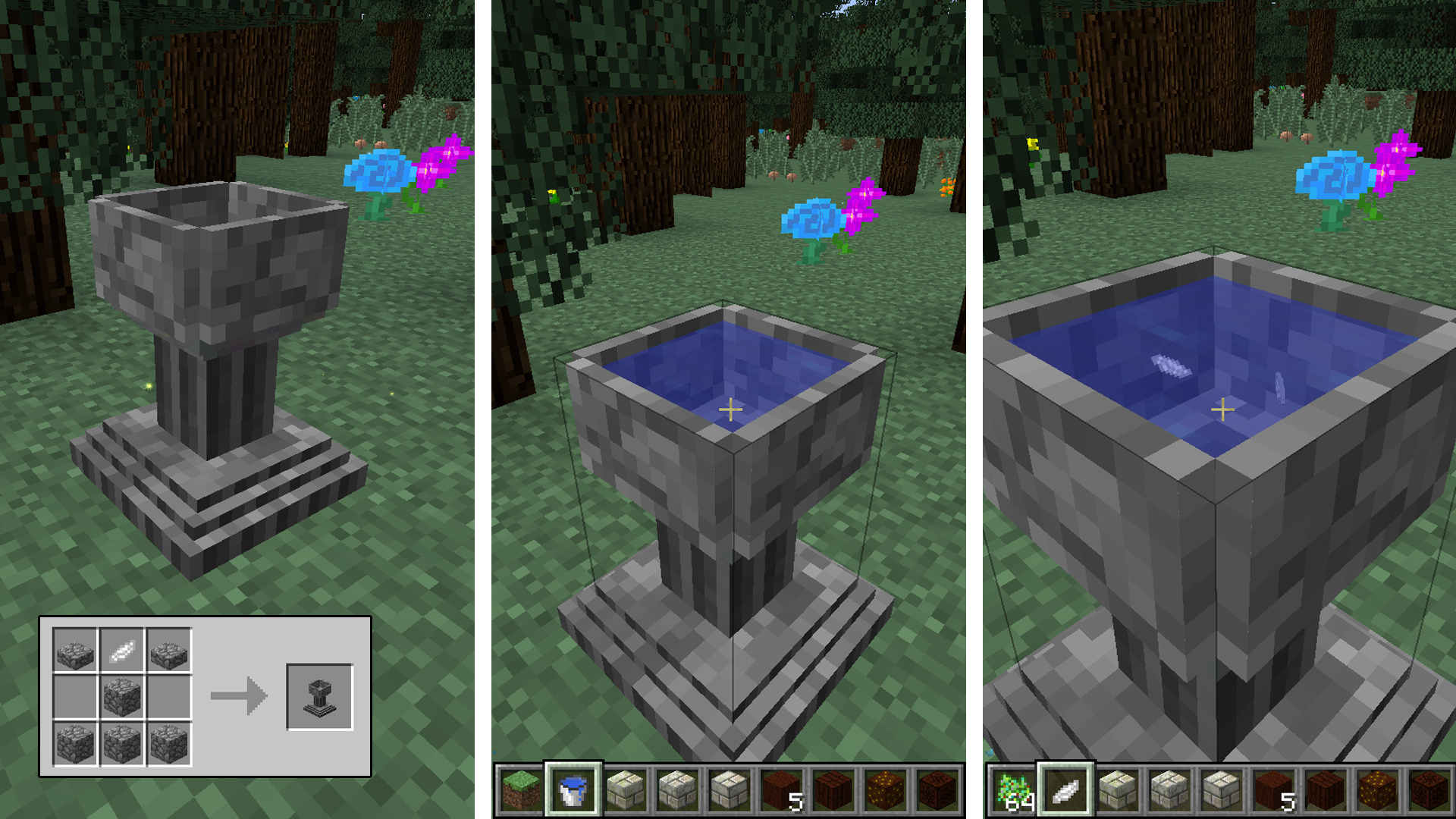
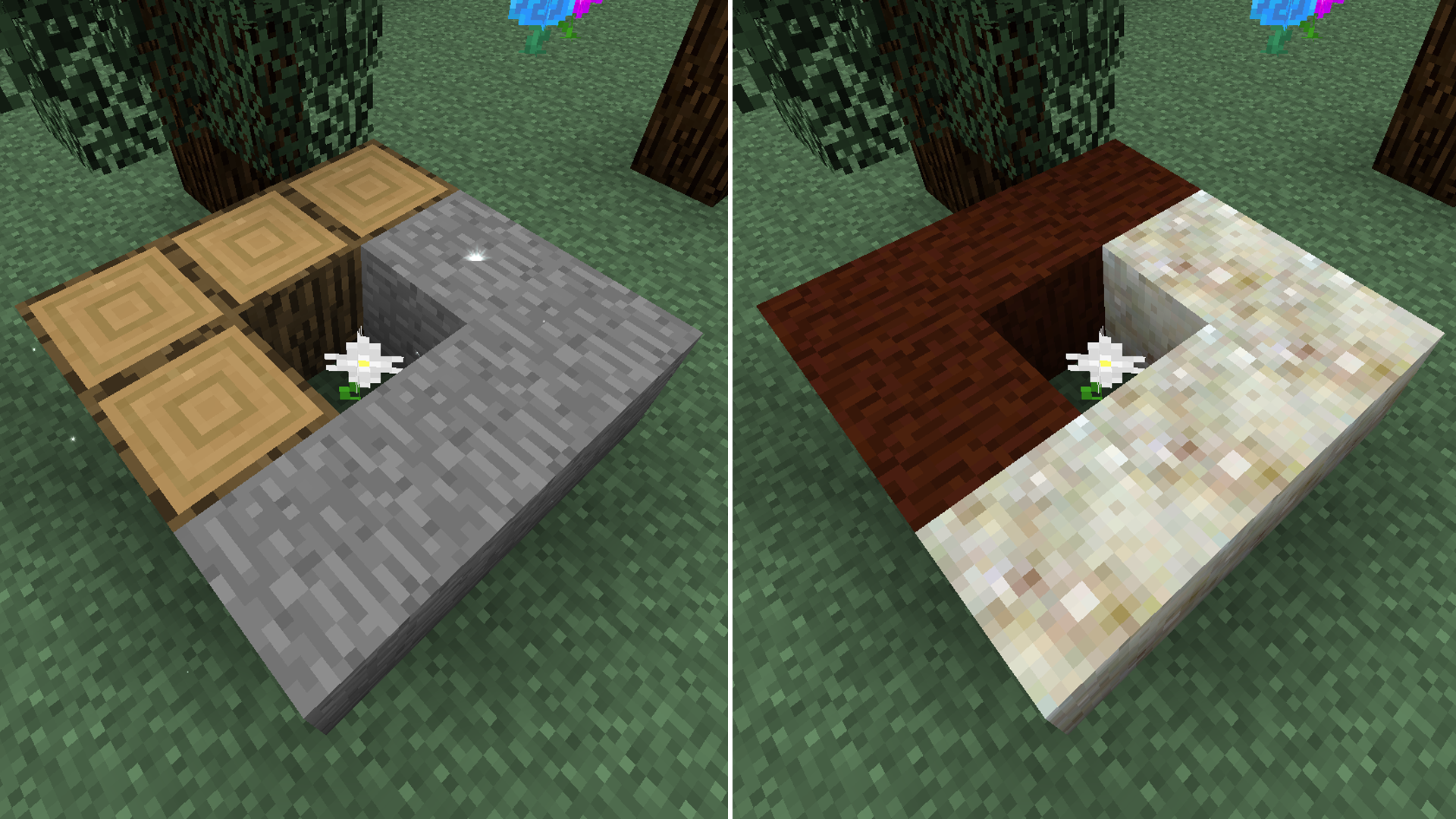
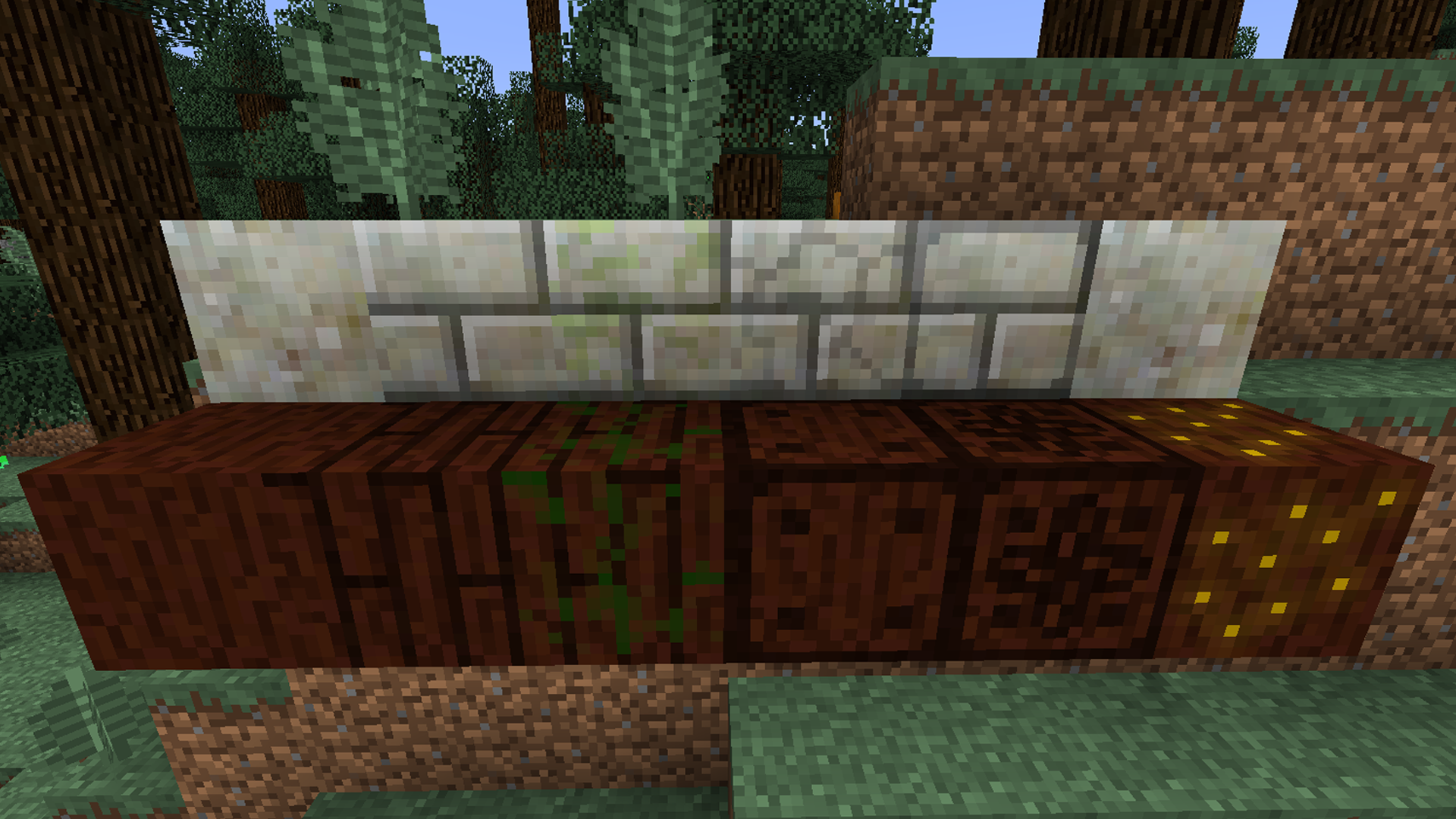
You can create mystical flowers by crafting an apothecary, filling it with water, then adding petals and seeds. If you do this to craft a pure daisy, you’ll then be able to use that to craft the essential blocks, livingwood and livingrock.
ApothecaryLivingBlocksCraftLivingBlocks
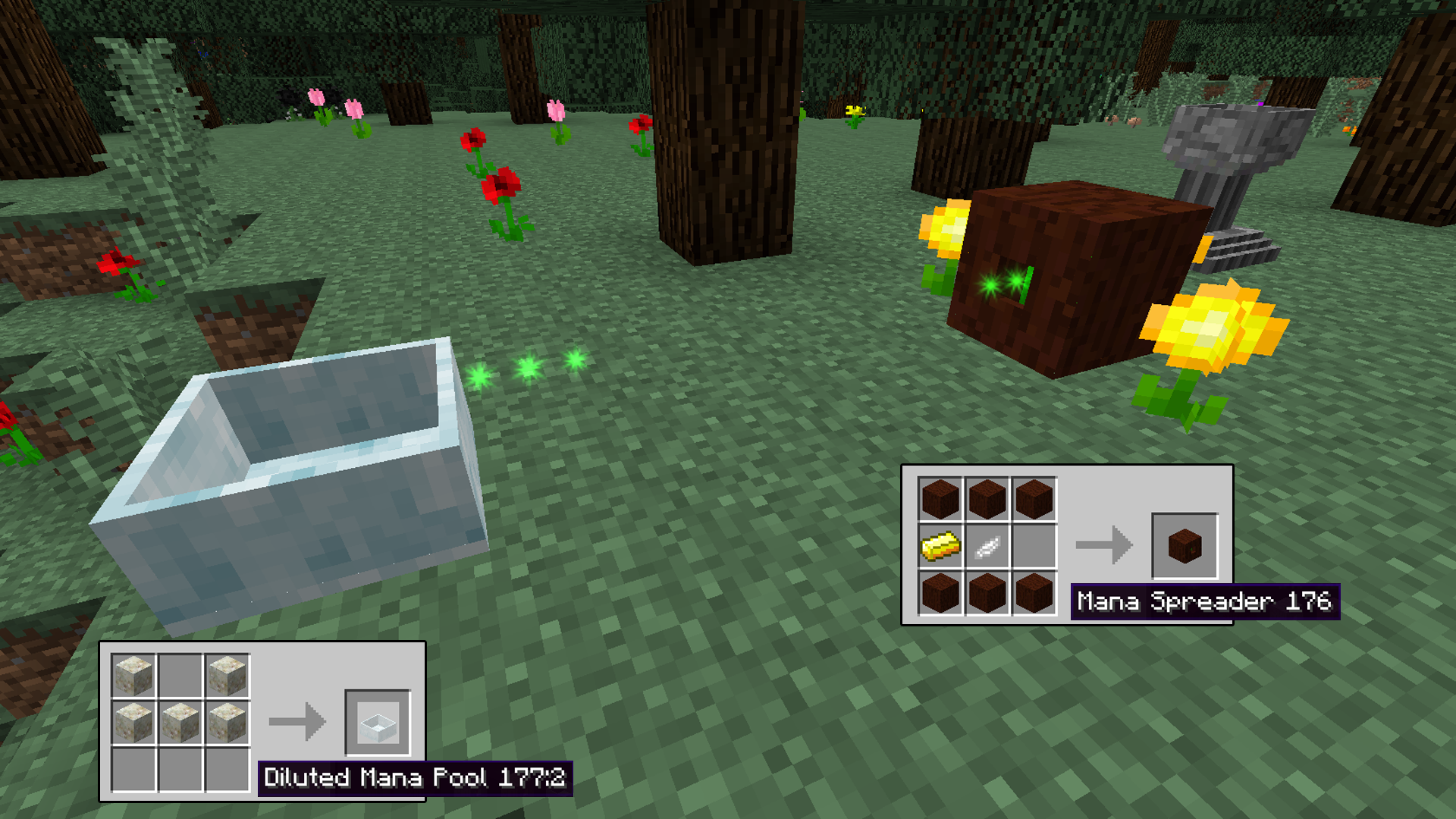
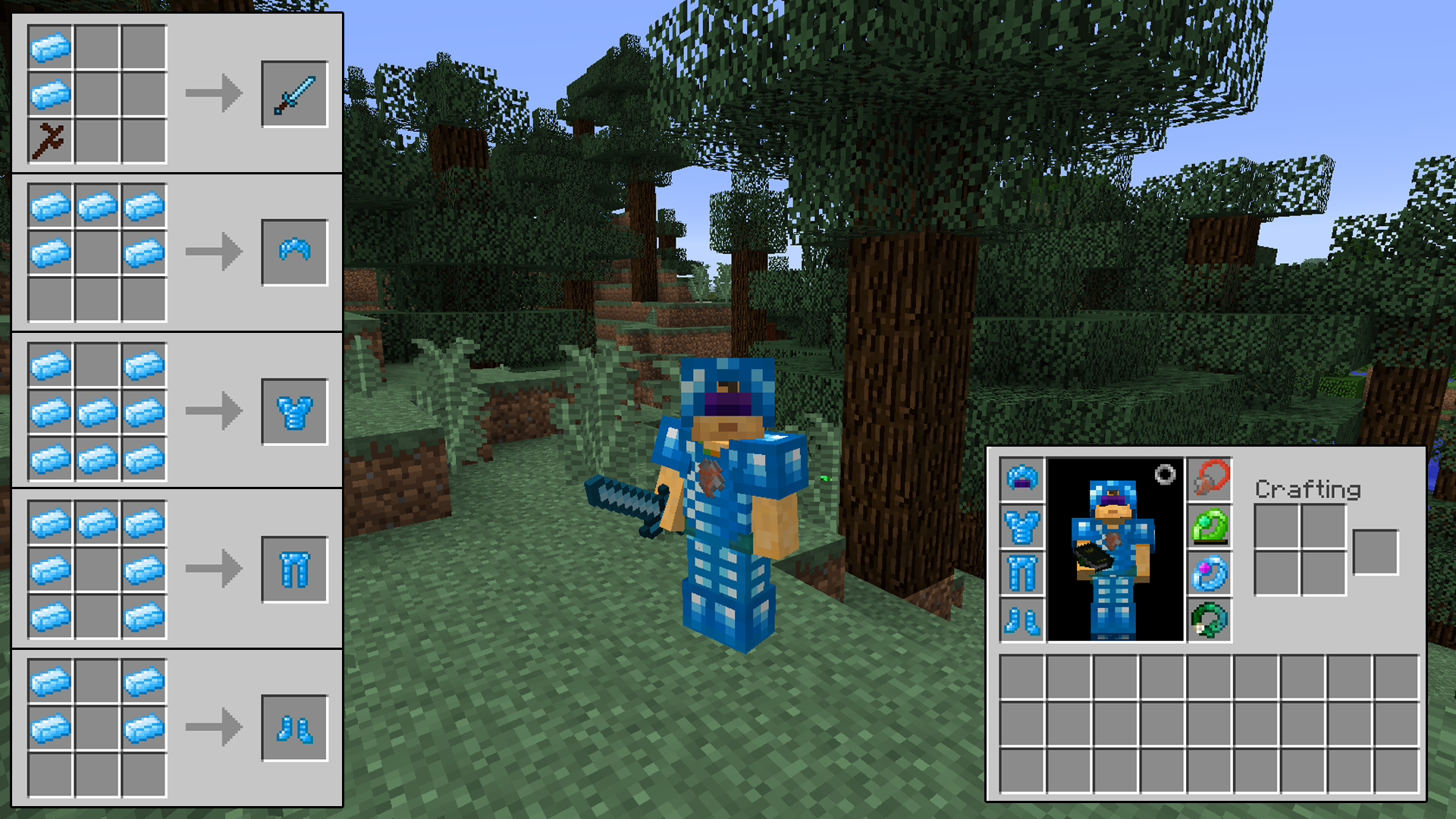
But the main goal of this mod is to collect Mana. You’ll need to craft different mystical flowers and place them with mana spreaders and collect it in mana pools. Once you’ve collected mana you’ll be able to “enchant” items like diamonds, ender pearls and iron ingots into mana diamonds, mana pearls and manasteel ingots. You’ll then be able to use these to craft new weapons, tools and armor.
ManaPoolArmorTools
Since this is a massive mod you’ll definitely need to consult the Lexica Botanica often until you get the hang of things. And if you need a more visual example, here is a fantastic quick start guide video. You’ll also need an additional API found here.
Download

Craftheraldry

Craftheraldry is an excellent mod for creating custom banners. It has a wonderfully simple interface for creating a banner from a multitude of different options.
Banner
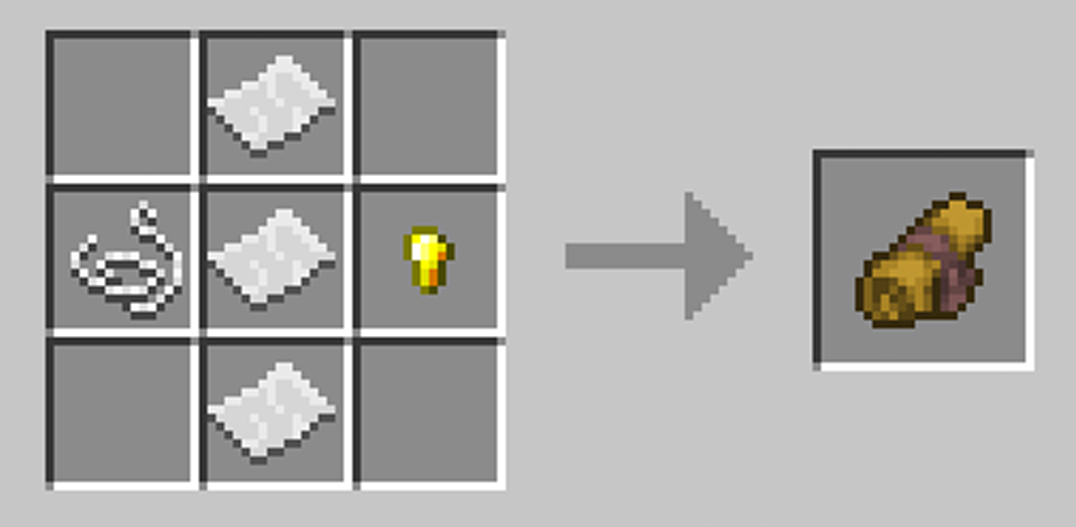
The steps are pretty basic. You’ll first need need a Heraldic Scroll, which will allow you to customize your banner.
ScrollRecipe
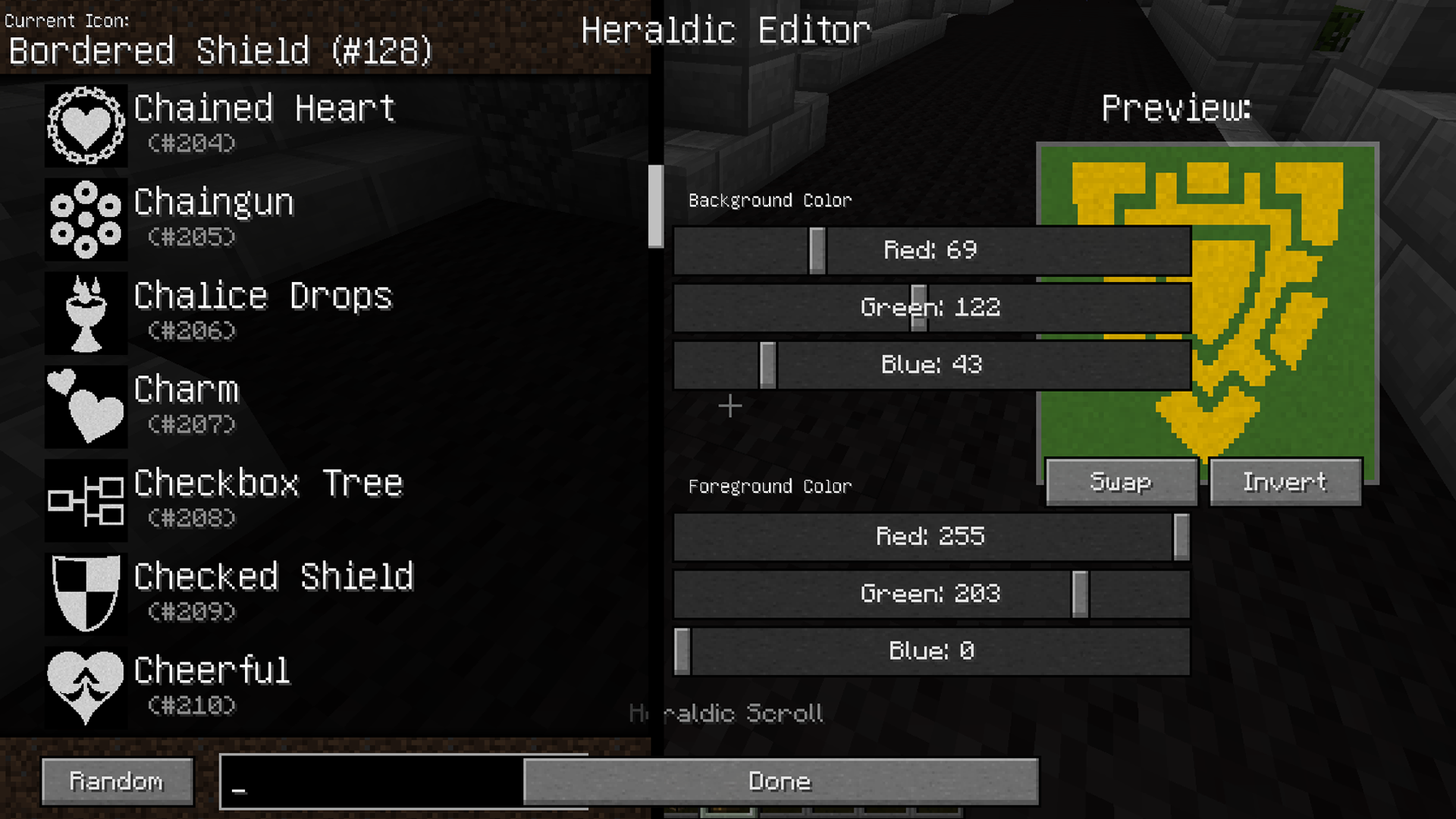
There are over 1270 different icons along with any color to choose from so the combinations are seemingly endless.
GUI
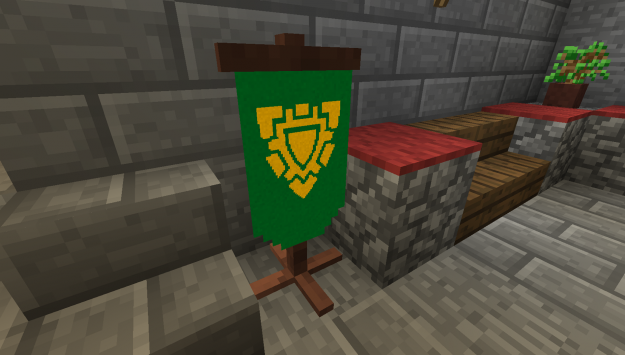
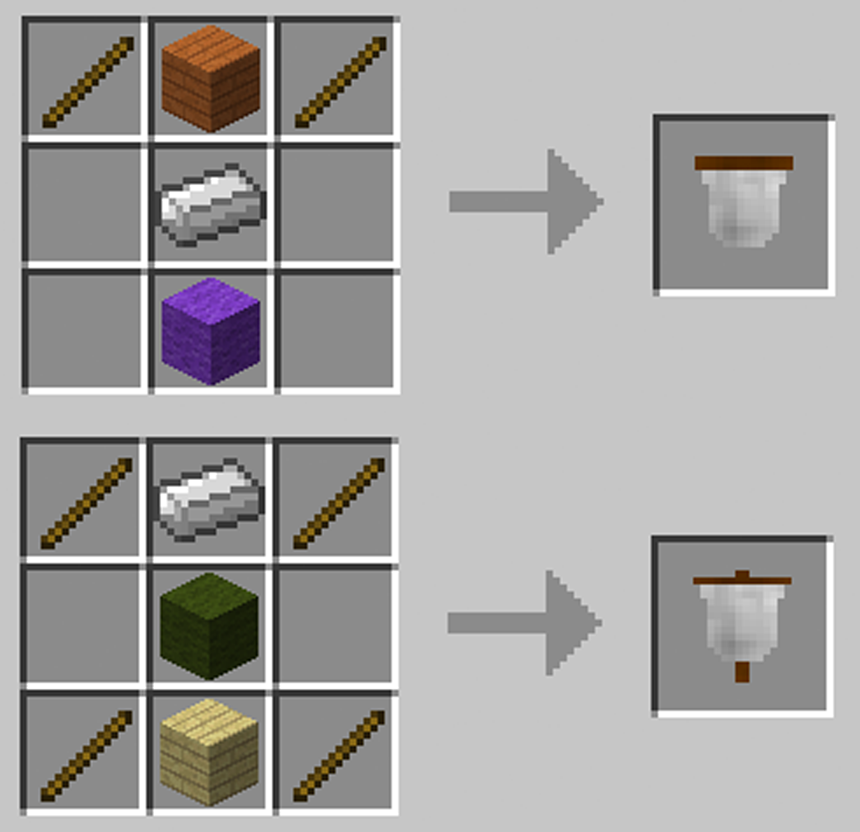
Once you’ve completed your design you can either craft a hanging banner or a posted one.
BannerRecipe
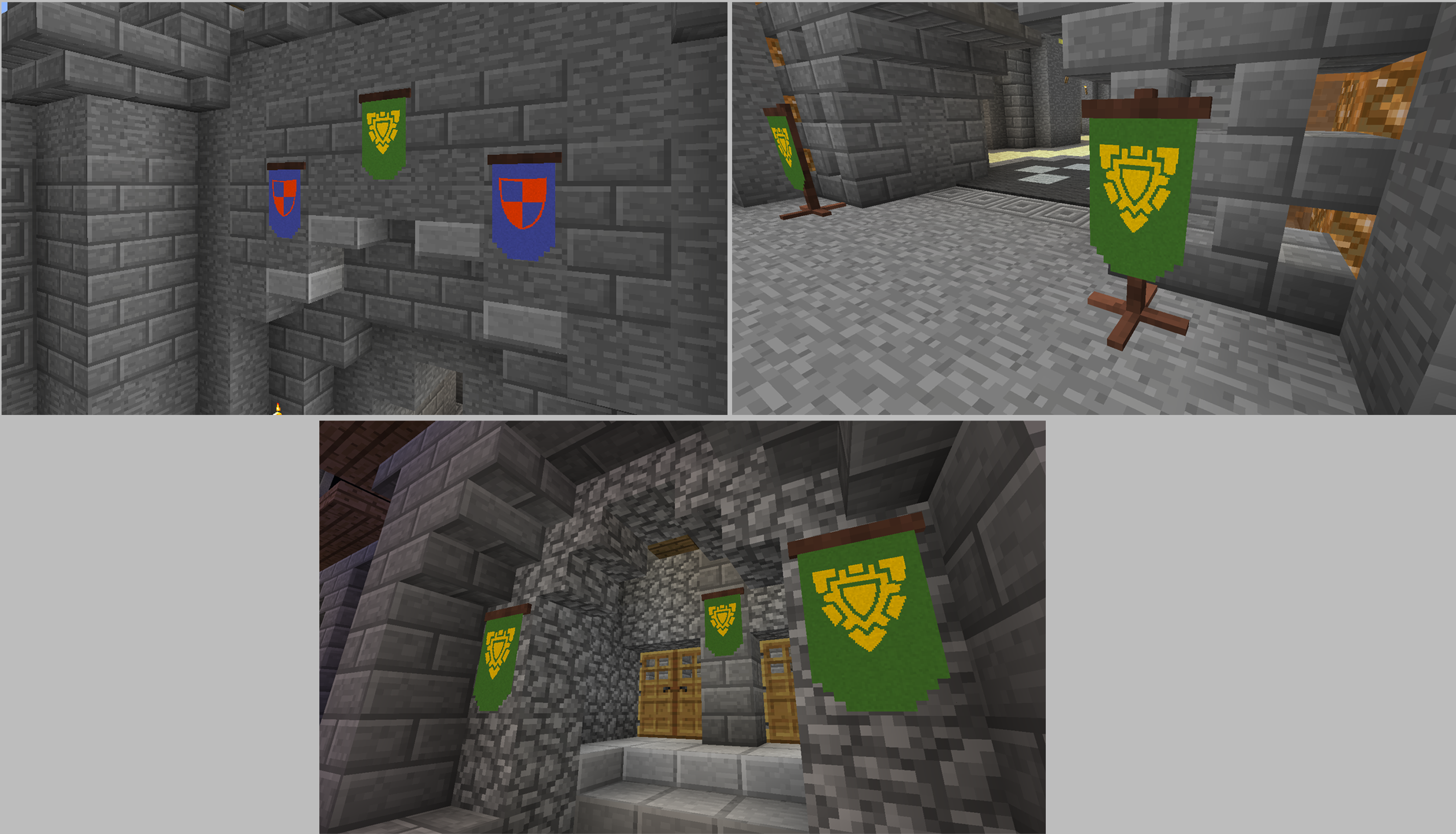
Then place it and right click with your designed heraldic scroll. It’s really that simple but adds so much to the aesthetic of your buildings. This mod is perfect for castles and really brings some authenticity and vibrancy to a medieval theme.
uses
Download