Showing posts with label jaquadro. Show all posts

Thursday, August 15, 2019

Garden Stuff

The Garden Stuff Mod is a great step up in gardening and farming in Minecraft. You’ll now have many more pots to plant in, fences to enclose areas, and enriched soil for faster growth. Improve your gardening and show the hard work you’ve put into it as well.
soil
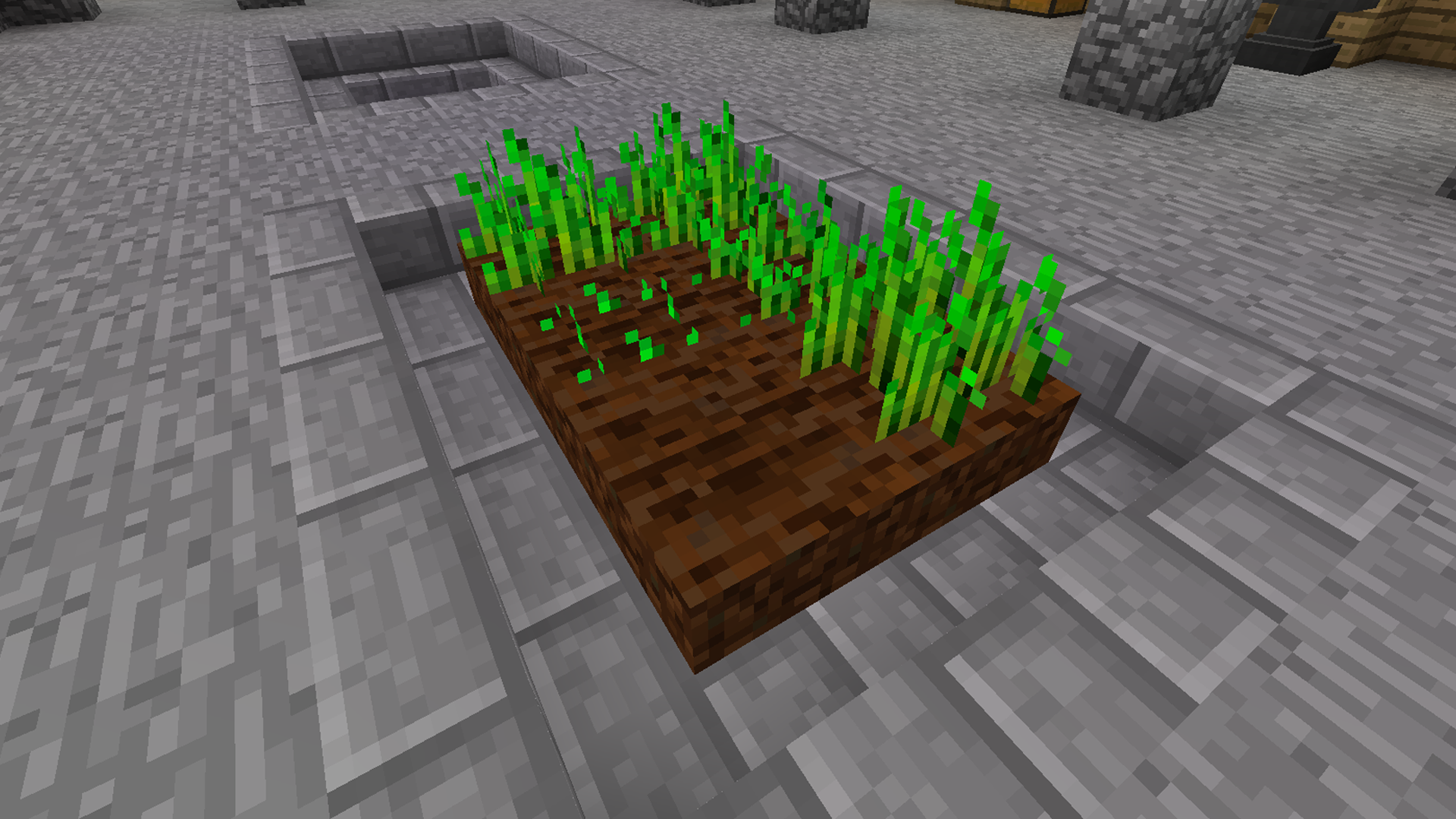
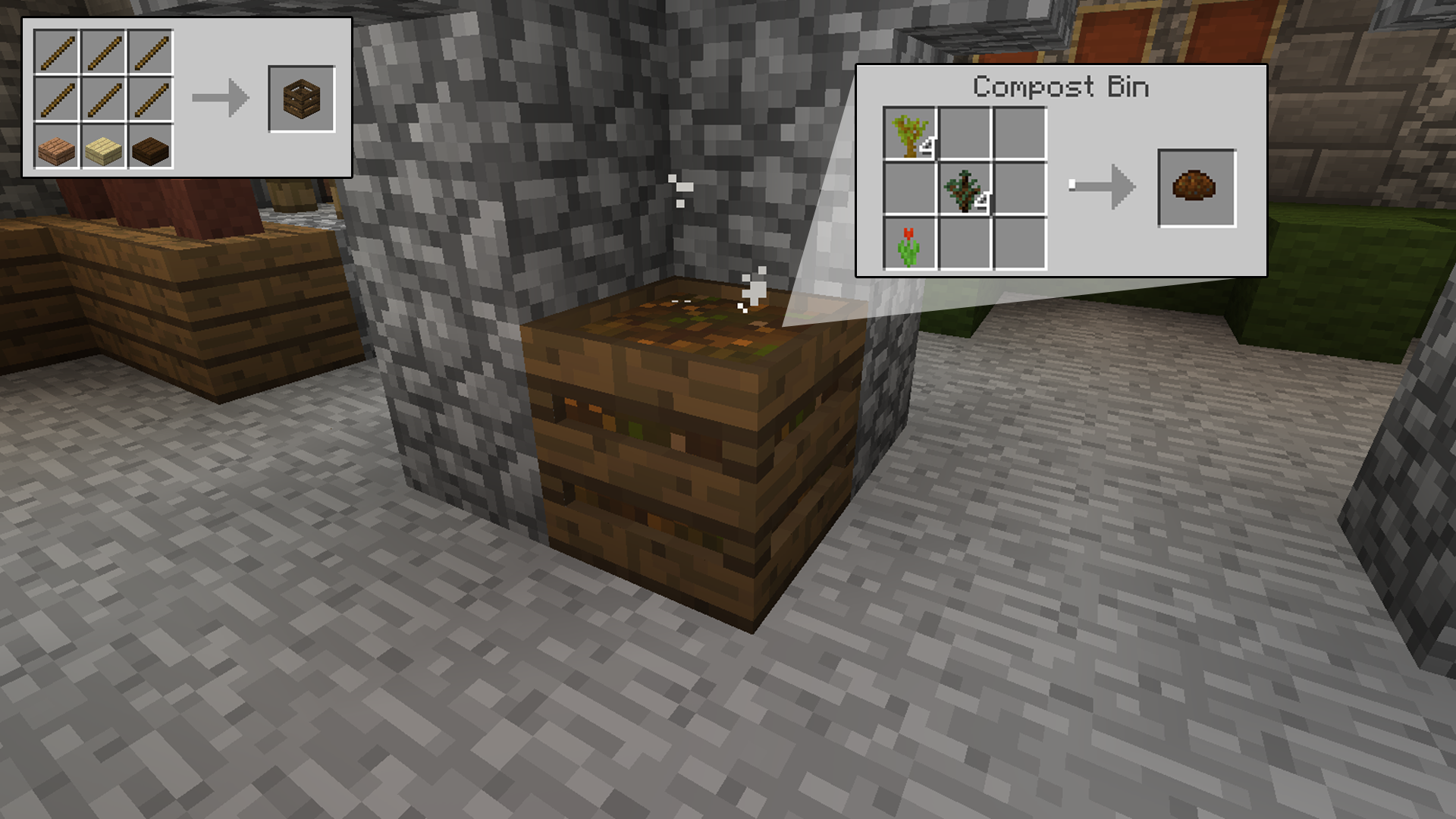
Enriched soil is made by mixing dirt and compost, the latter of which can now be created with a compost bin. This will allow you to produce your crops quicker for a more efficient harvest.
compost
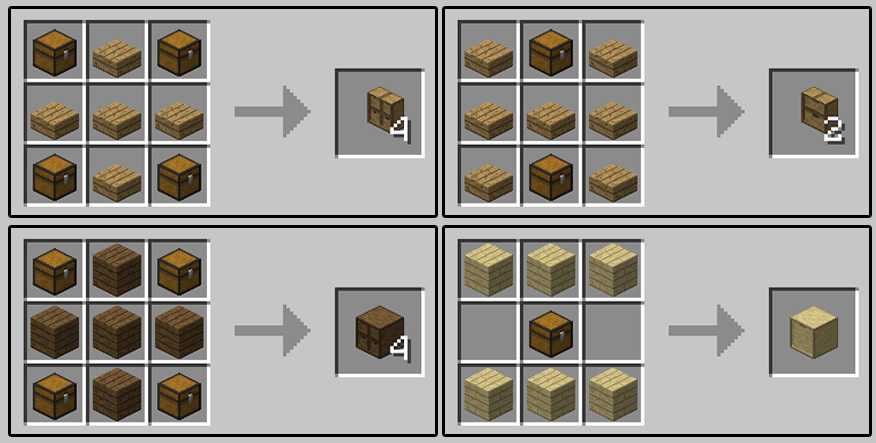
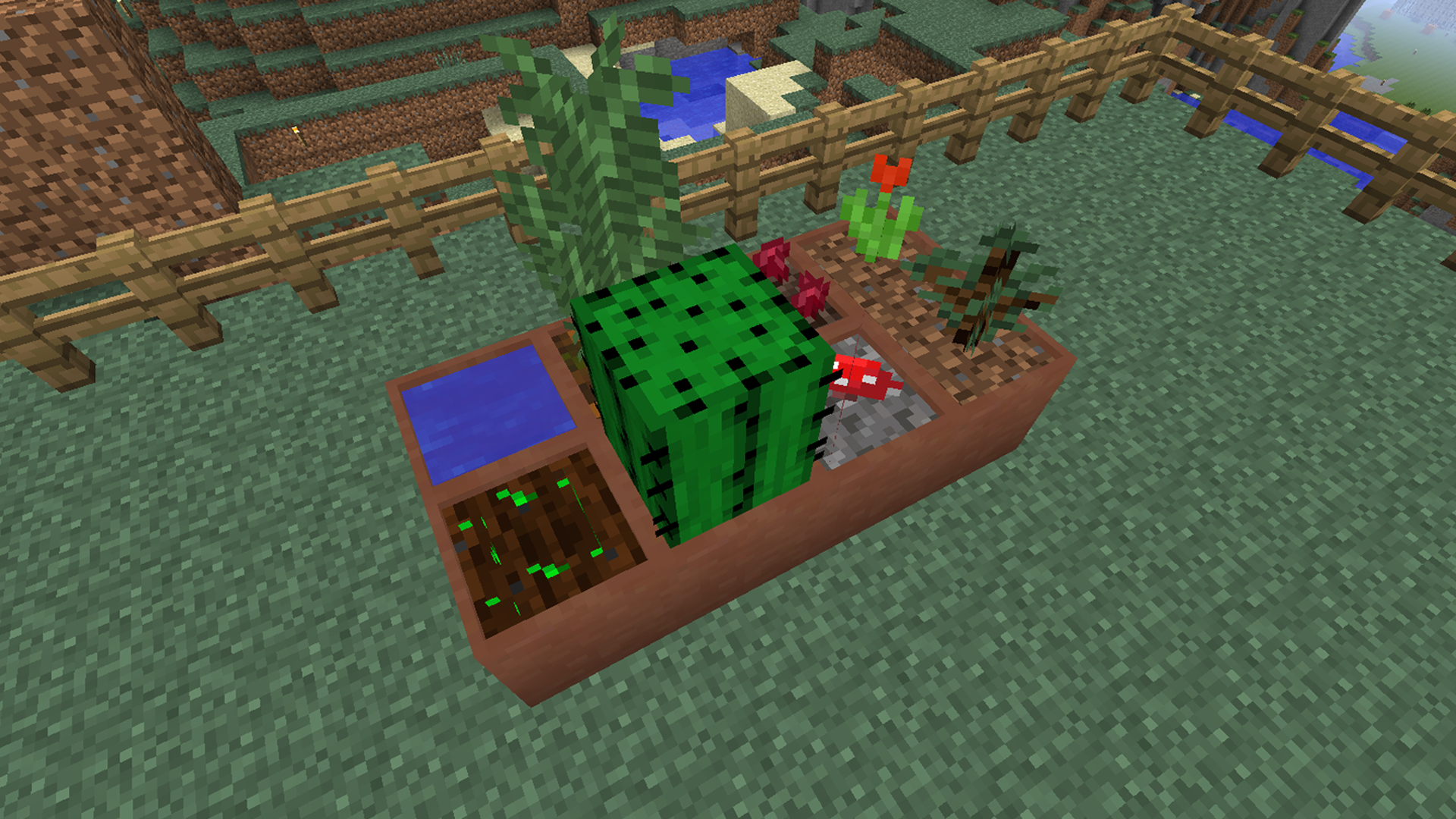
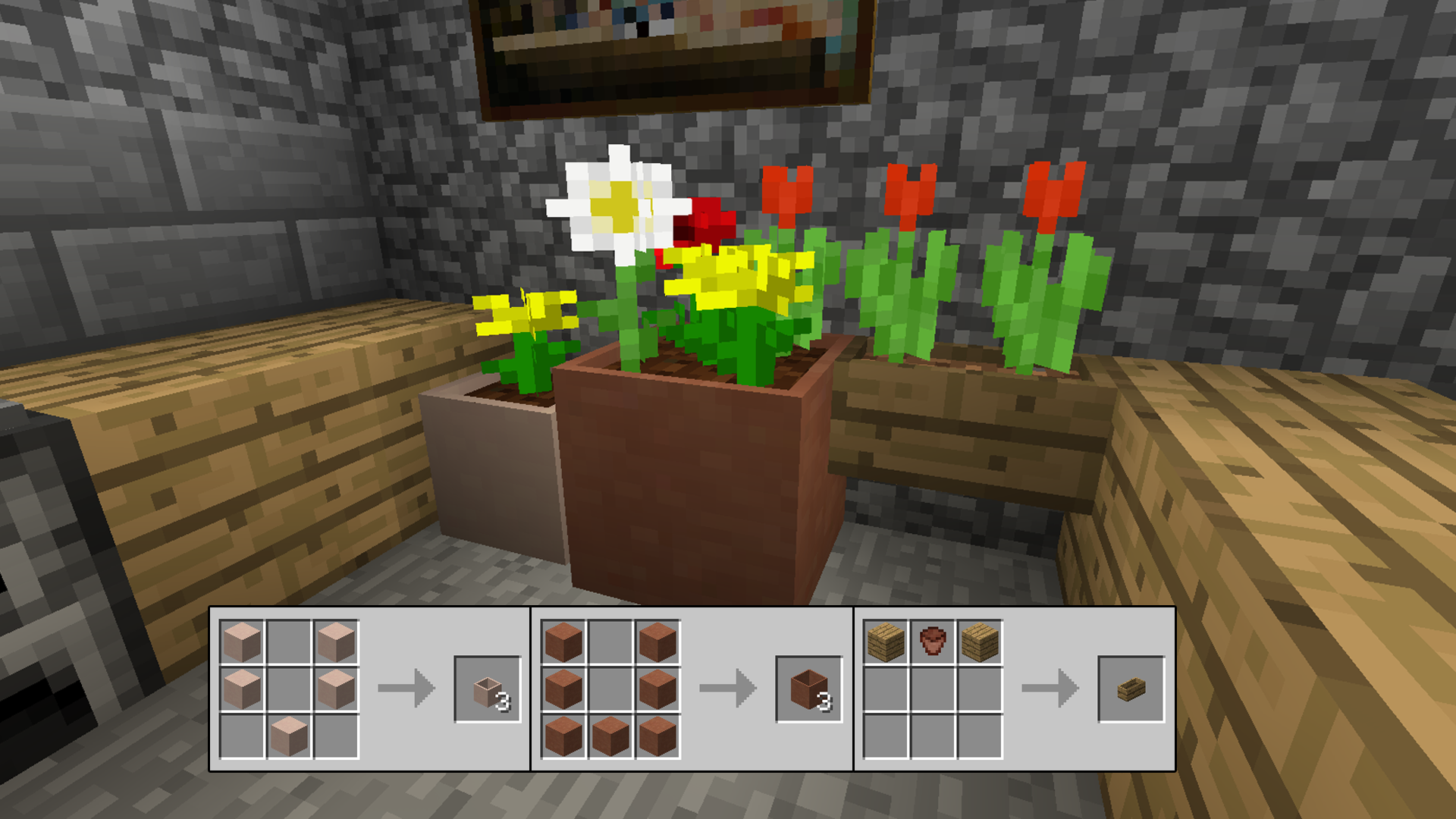
Three different sized pots exist and can be crafted from different colored clays or the wall mounted boxes crafted from wood, brick, stone or sandstone. This gives you more options to choose from when considering what you’d like to plant and where you put it.
pots
With the Trowel you can rearrange your flowers after you’ve planted them. With these new pots you can place them side by side and they will combine provided they contain the same soil. The Trowel makes rearranging these large pots easy. Right clicking pulls up the GUI and you can then move the plants within wherever you like.
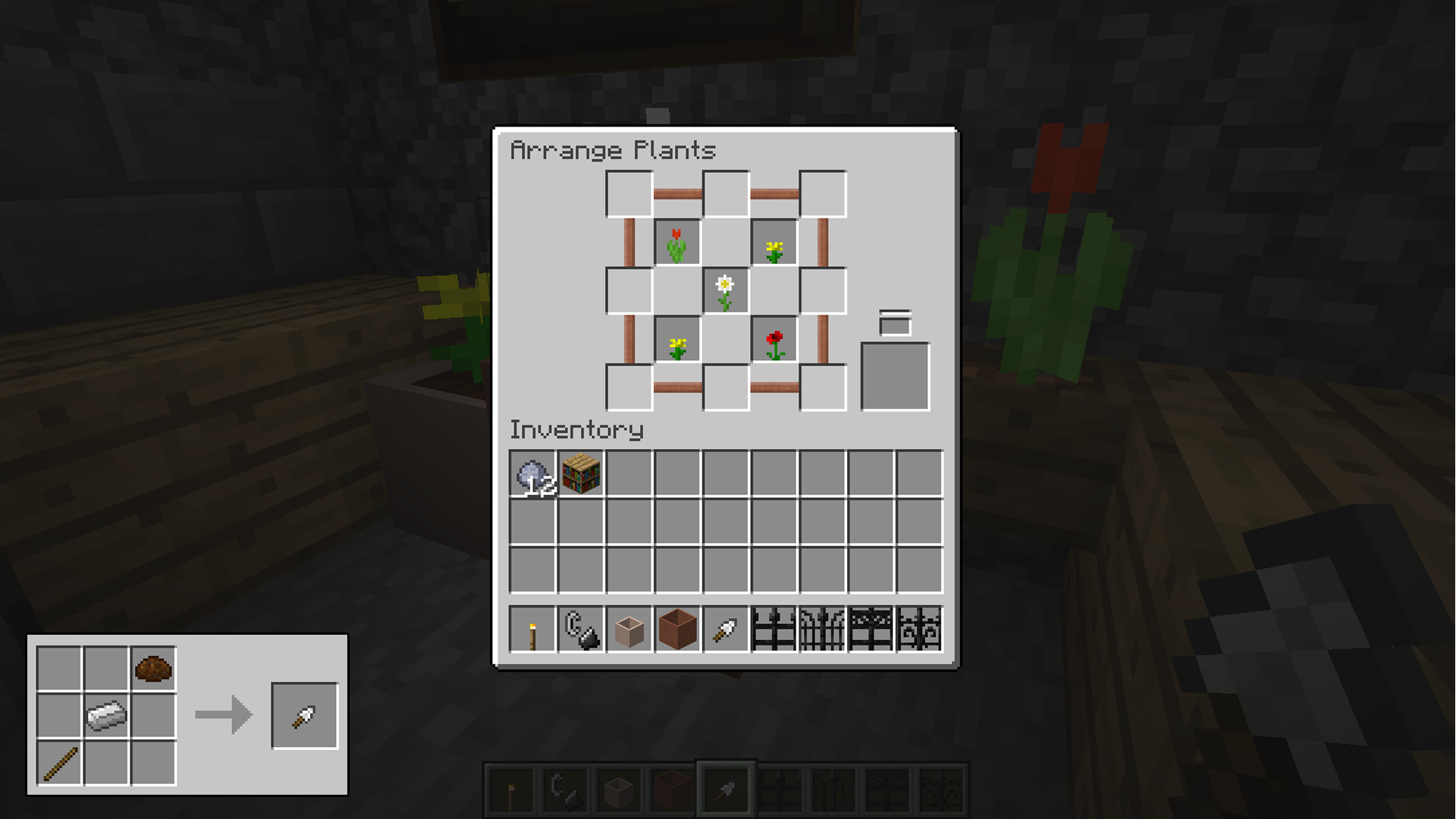
Trowel
Gates and lattices are now in abundance to both protect your gardens and offer a new aesthetic to the area.
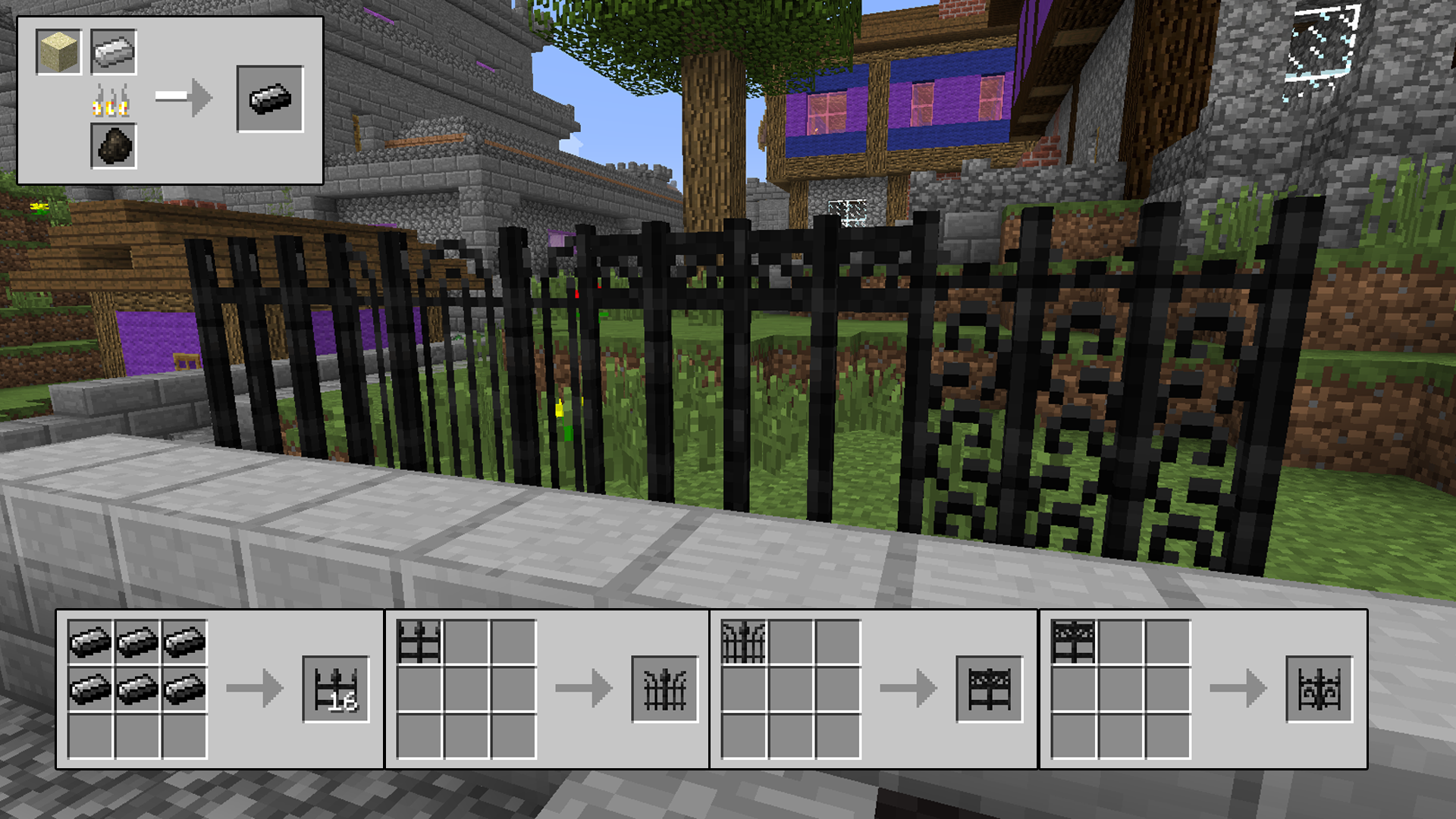
fences
lattice
And be sure to continue the aesthetic with Stained Glass Lanterns. Just hang these up anywhere, place some glowstone dust inside and prepare your garden for proper mood lighting.
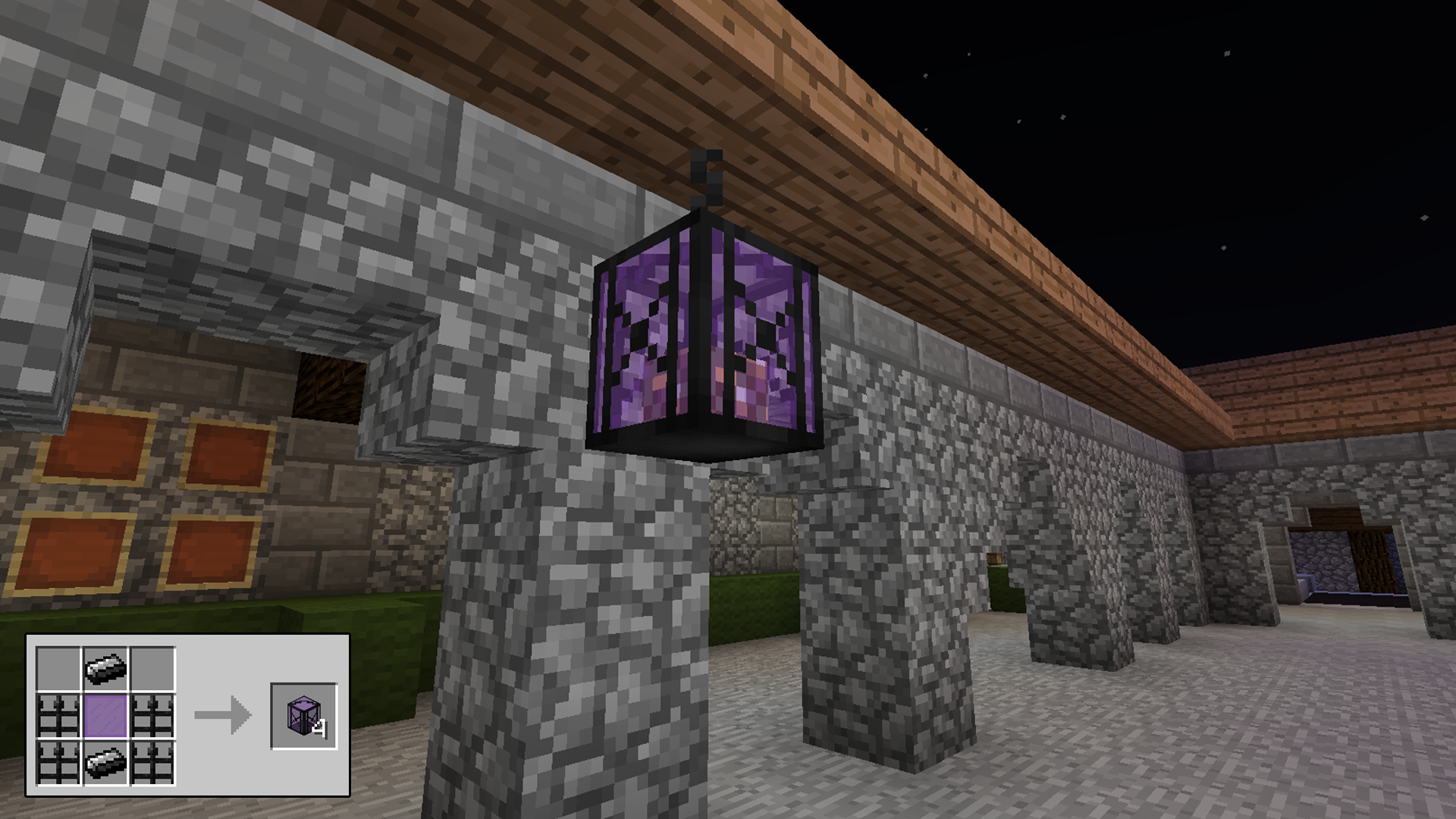
lantern
Be sure to give some authenticity to your barrier walls as well with decorative flower pots and netherrack. Keep your walls lit in style with this mod.
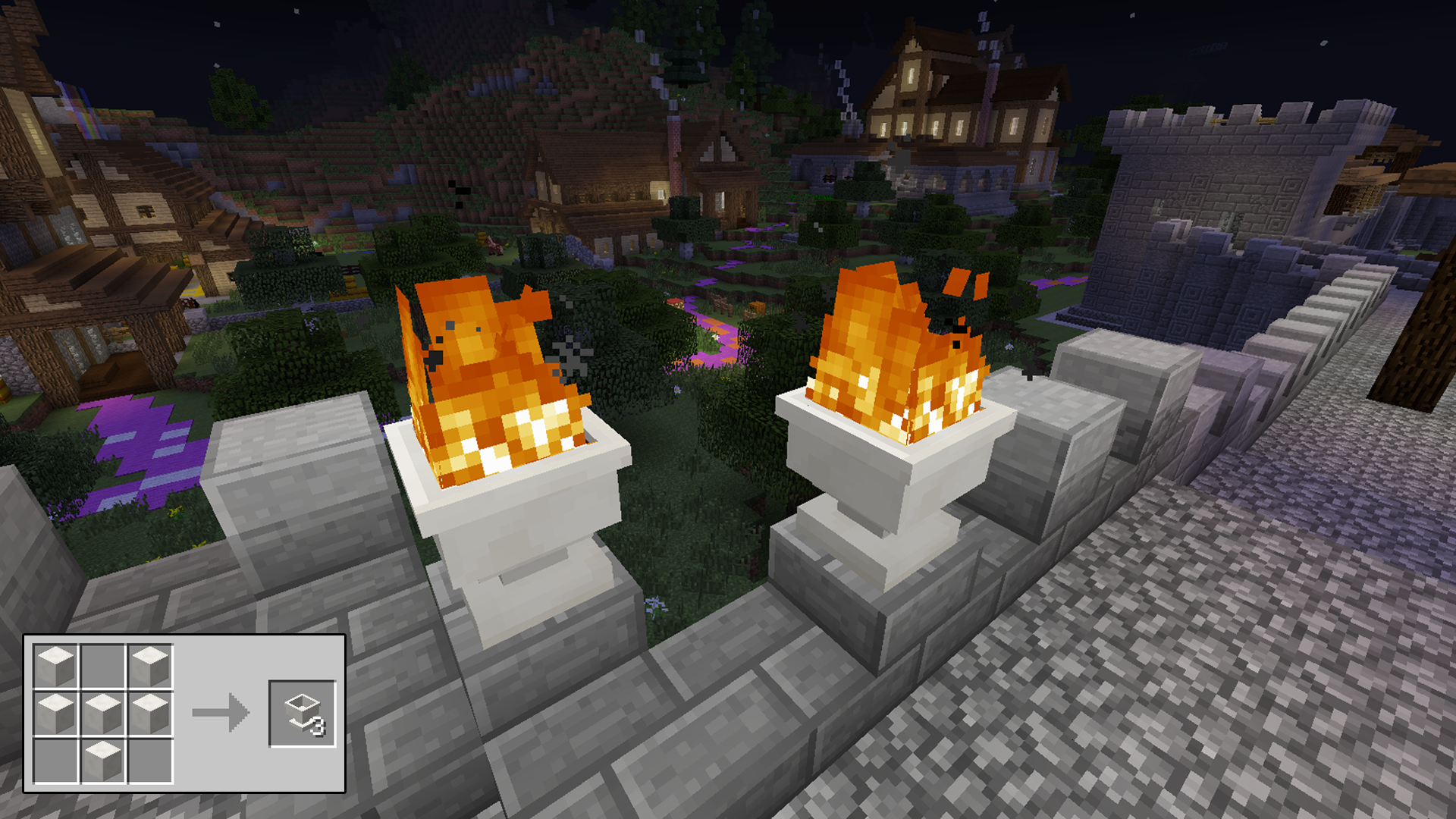
walls
Download

Storage Drawers

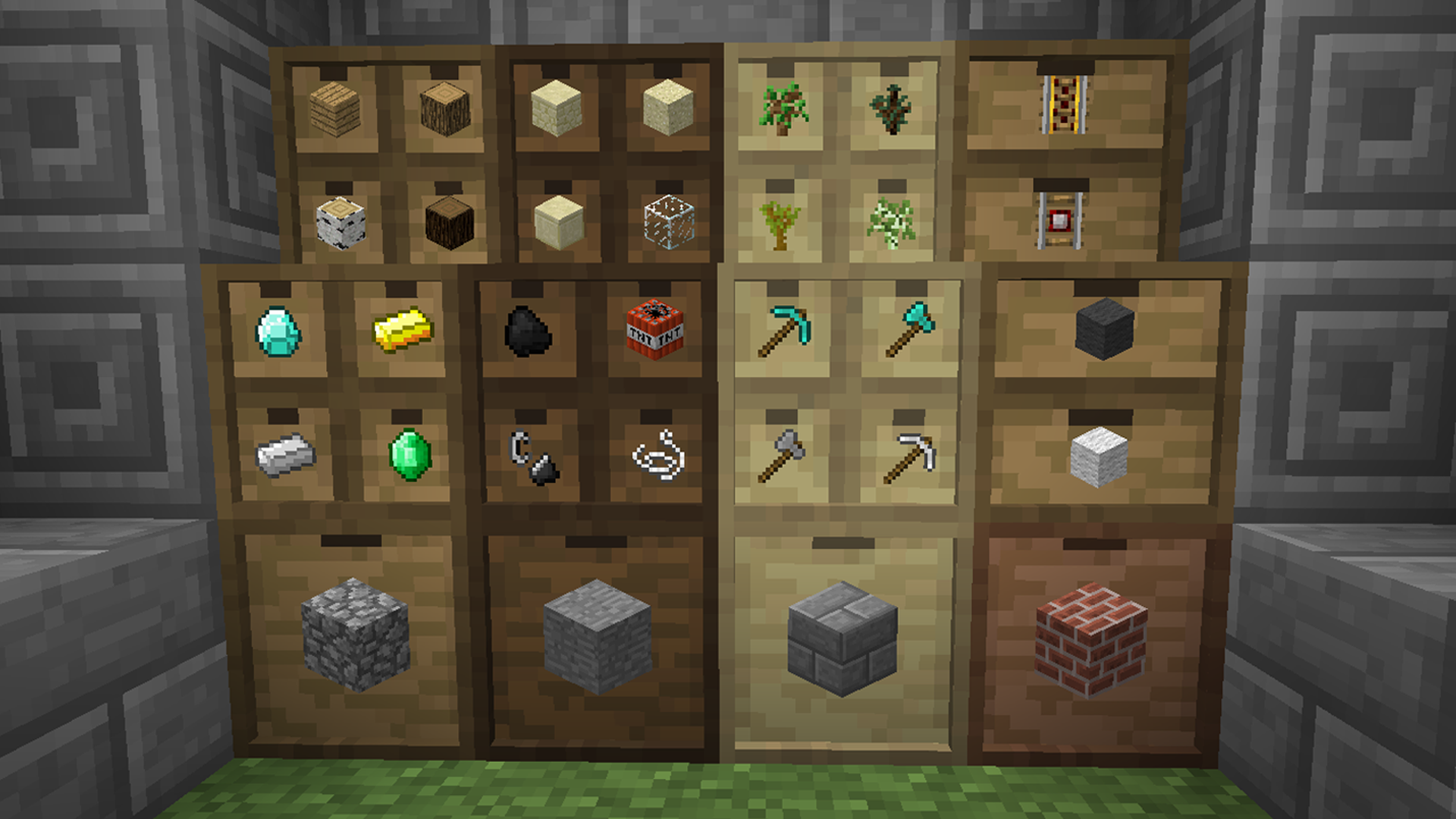
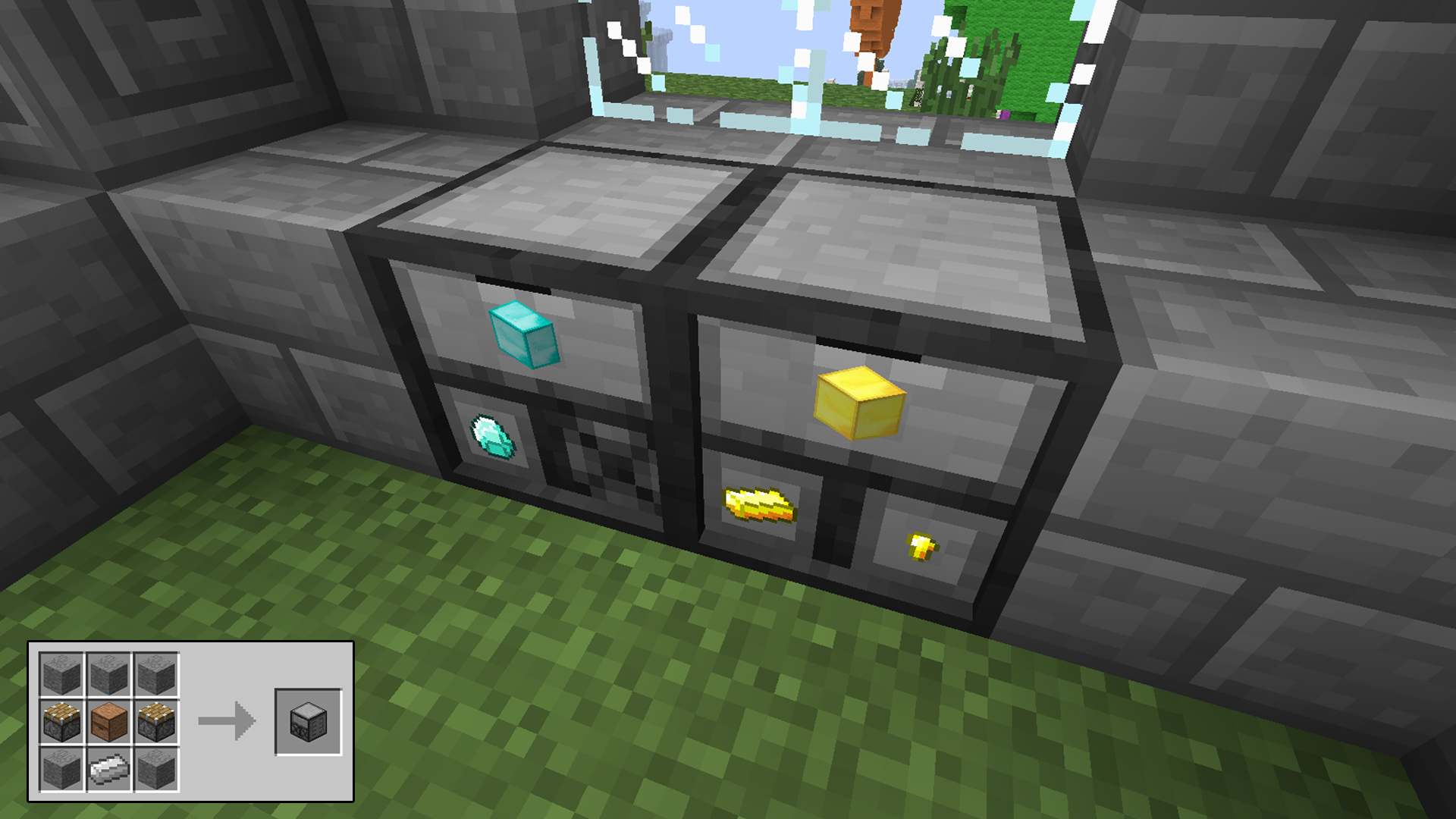
The Storage Drawers mod is a visual storage system that varies in capacities. They range from holding 4 stacks per drawer up to 32 stacks per drawer with the ability to upgrade to larger storage without needing to destroy the drawer first or even empty its contents.
recipes
The drawers work as simply as right-clicking an item or stack of items onto an available slot. The item will instantly appear on the outside, showing you what you’ve just placed. It’s definitely a quick inventory and storage system to streamline how you maintain your items. You can also either click to retrieve one item at a time from the drawers or shift+click to take the whole stack.
drawers
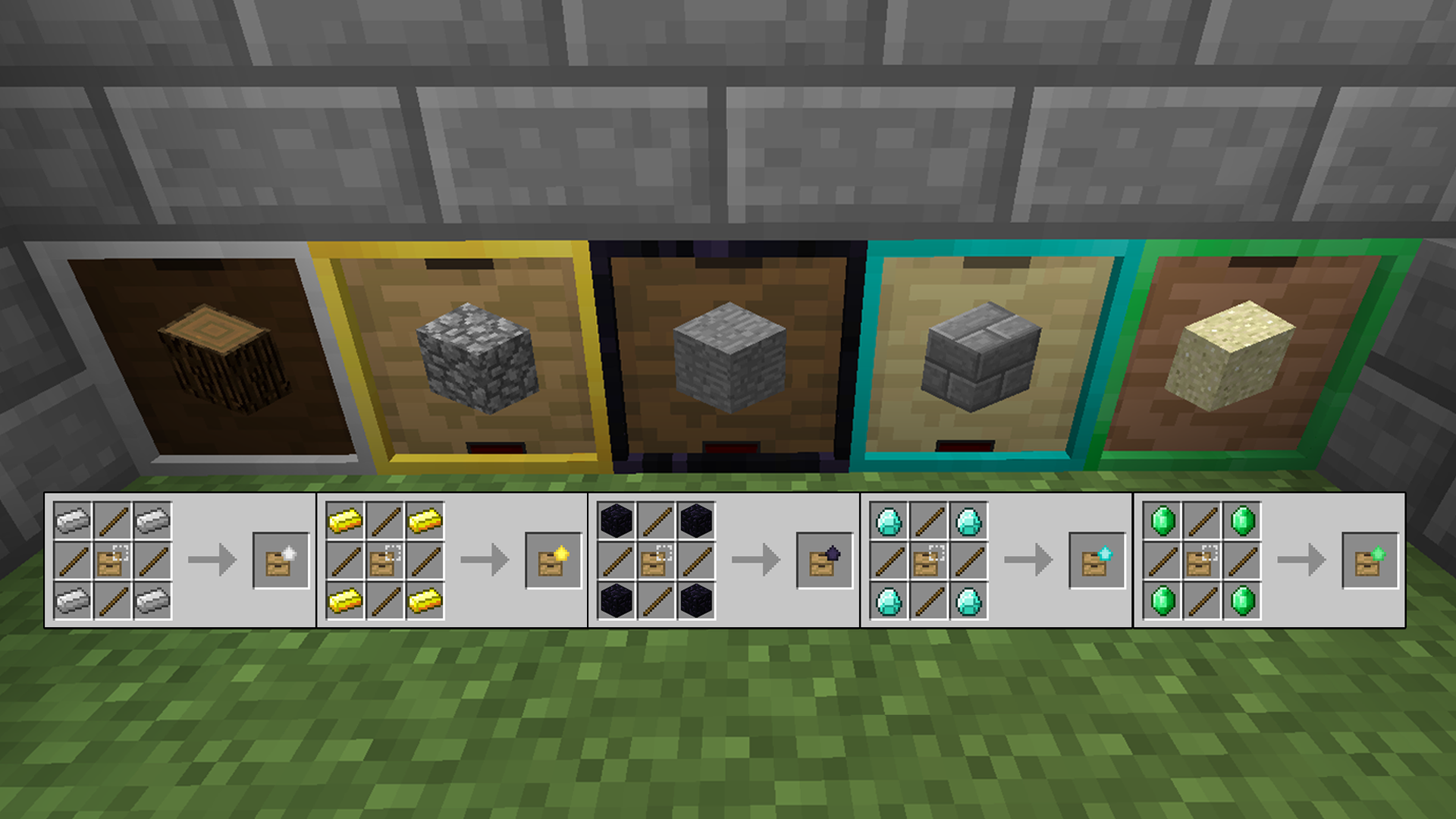
You can put upgrades on the drawers to maximize their overall capacity. You have up to five upgrades to give allowing 13 times the original storage for maximum capacity. And there’s no need to do incremental upgrades. You won’t need to first do the iron upgrade in order to progress to the next step. If you have 4 emeralds to spare you can jump right to the maximum upgrade capacity.
upgrade
And you can put an add-on to the drawers to indicate how full they are. This will help to further visualize what you’re storing and how much space you have left.
FillLevel
A handy addition to this mod is the compacting drawer. It will take items that can be compressed and give you the option to retrieve them in their compressed forms. If you have a mod installed that gives you ore nuggets, then you also  have the option for getting ingots, blocks, or the nugget form of the ore.
compact
This mod requires an additional API found here.
Download

Modular Flower Pots

The Modular Flower Pots mod gives you a better selection for crafting pots for planting and farming in Minecraft. It provides you with a more elegant solution to designing your gardens in a more compact structure. Plus you can also carve intricate designs in your newly crafted pots.
NewPots
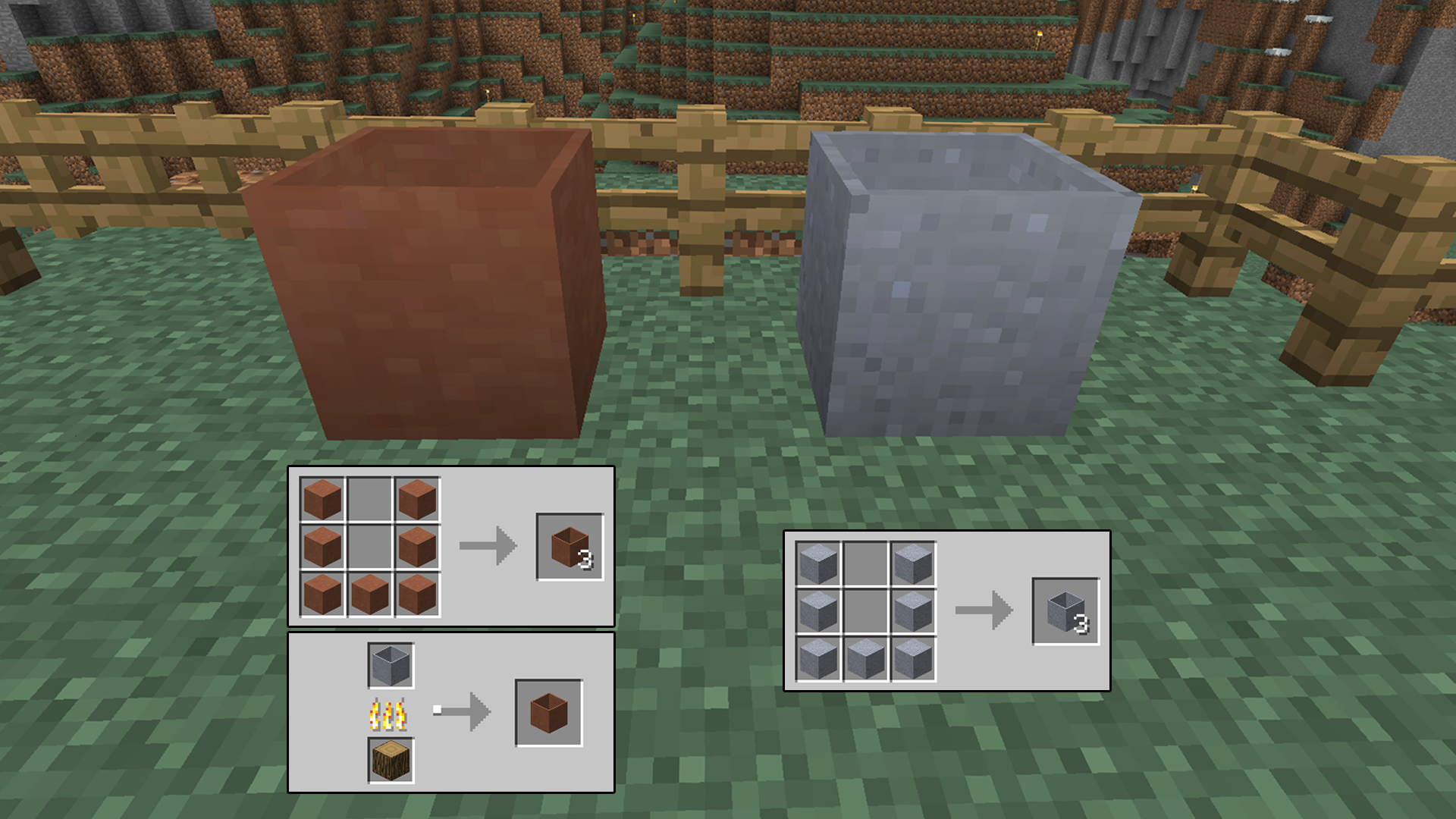
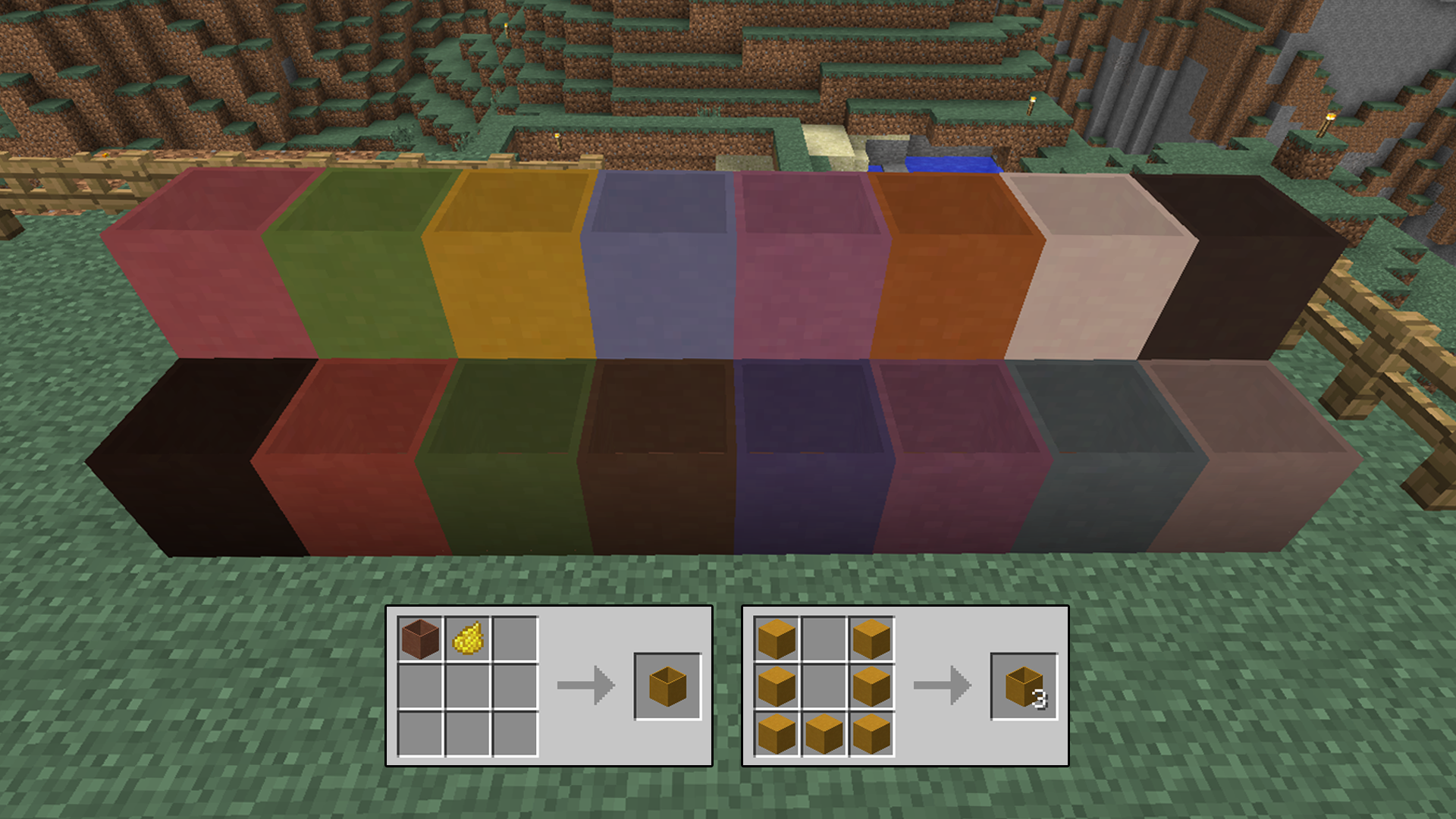
You can either craft a soft pot from raw clay and fire it into a hardened clay pot, or craft a hardened pot from stained clay.
StainedandRaw
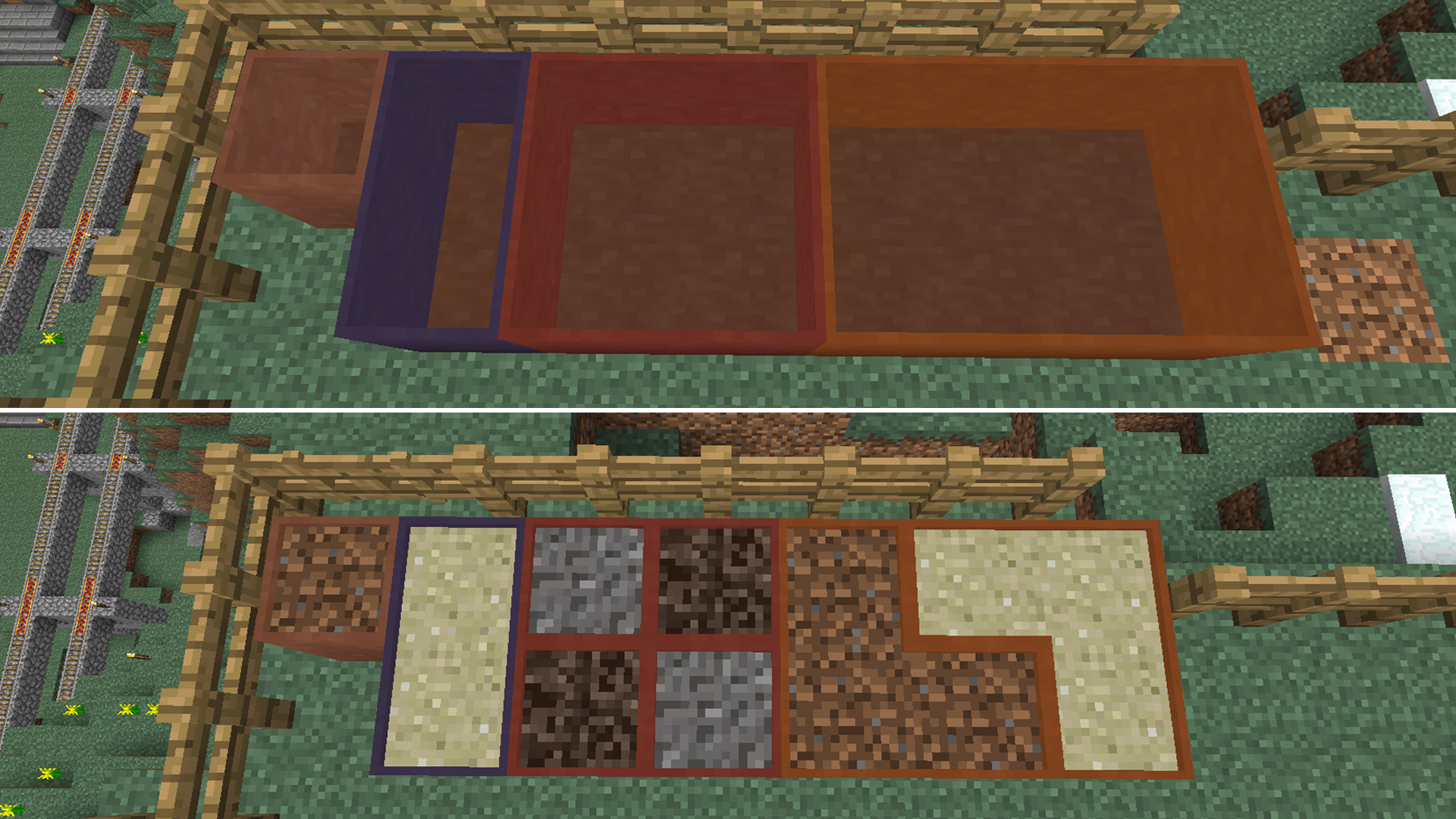
Pots can be made in any color with stained clay or they can be stained afterward with any dyes you want to choose from. This gives you great customizing options for marking your farms and gardens with color. You can also customize the size of your pot as well. Depending on what you place in it and the color will determine if the pot will be a single cube or many.
ColoredPots
Sizes
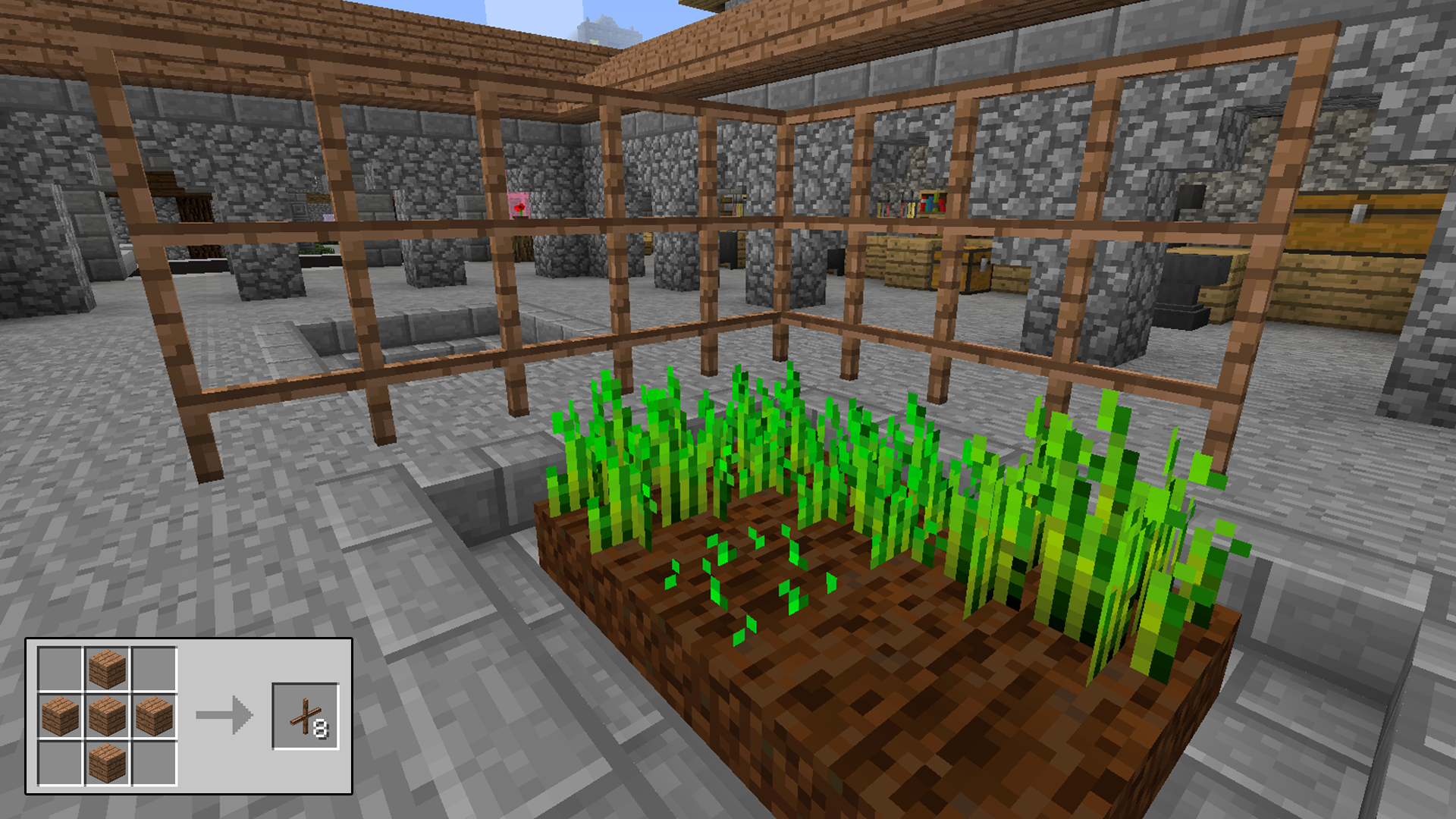
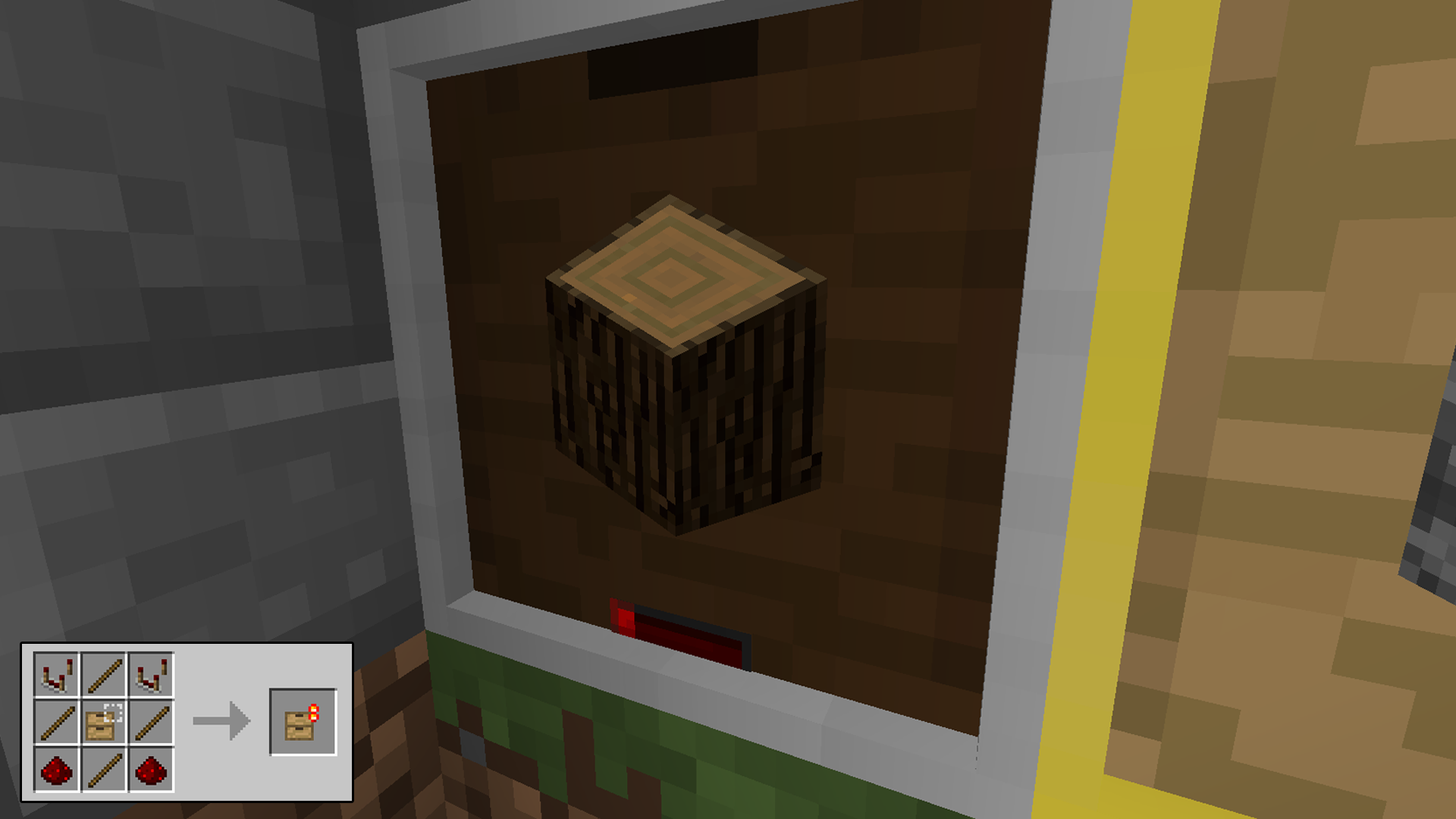
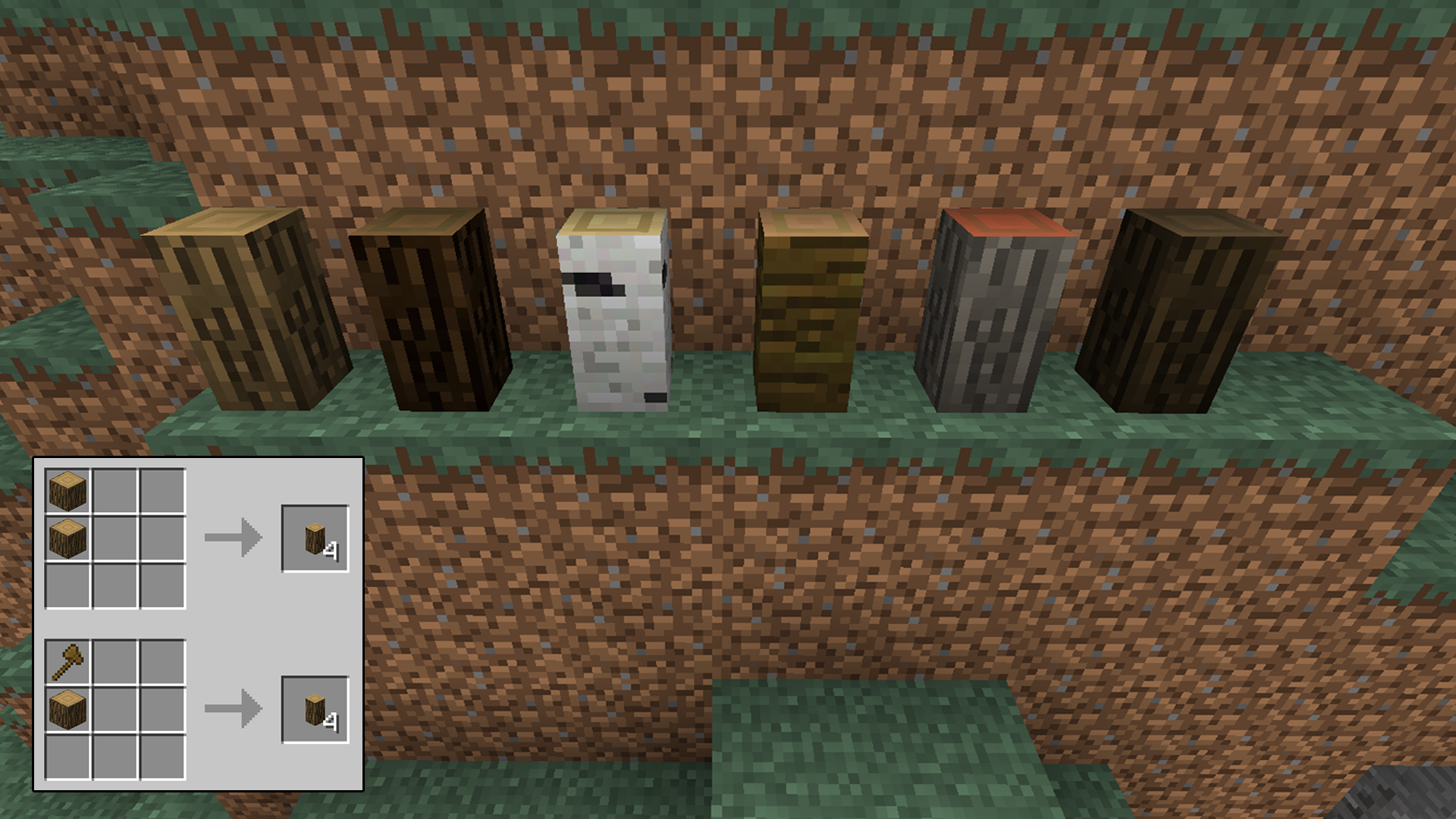
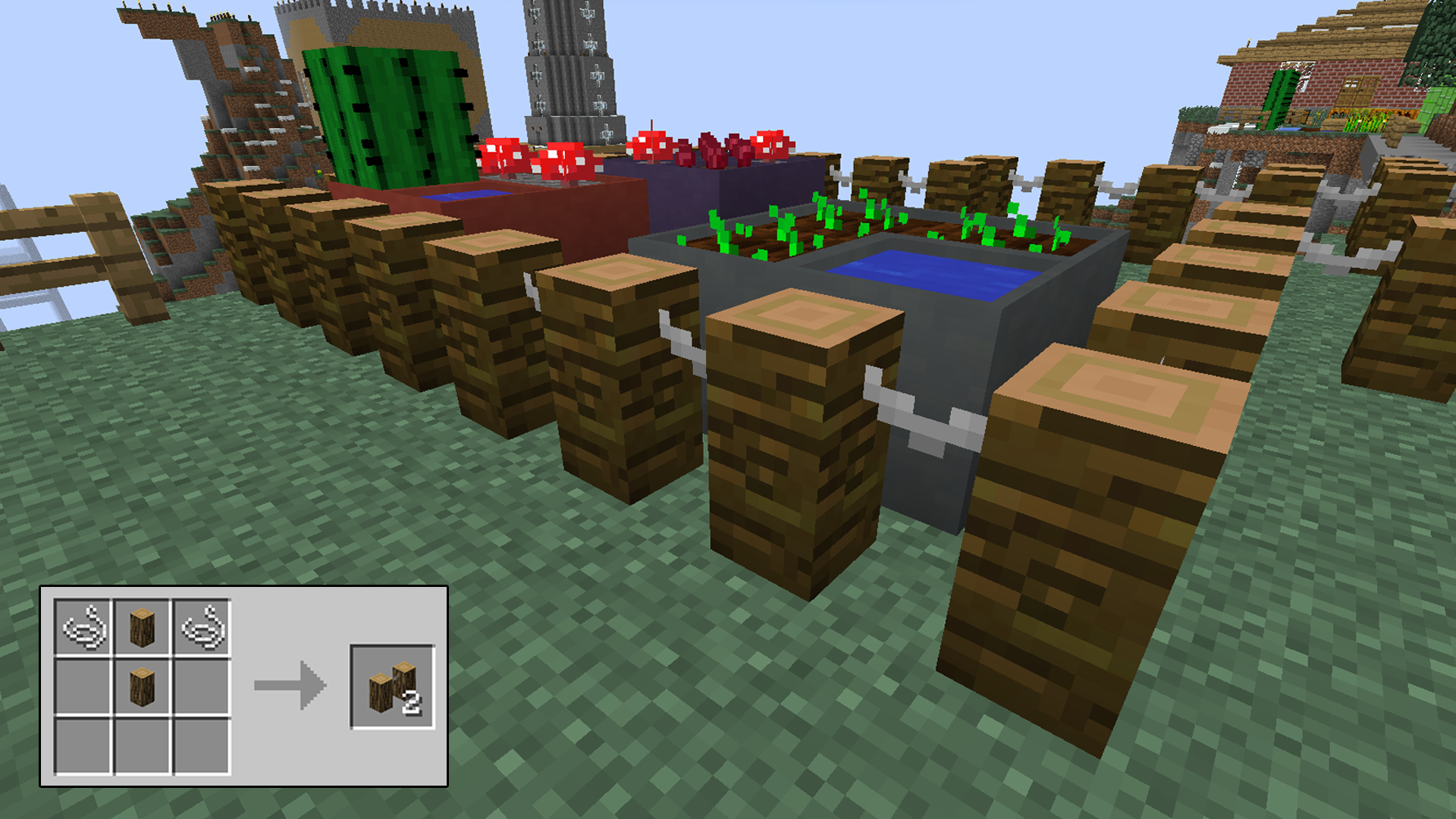
You can make wood posts now to accent your farm area and it also doubles as a new fence post. There are a few ways to craft these and they can also be cut naturally from smaller trees. Then just combine them with string to make posts. You can even form 4 wood posts back into a full wood block if desired.
Posts
PostFence
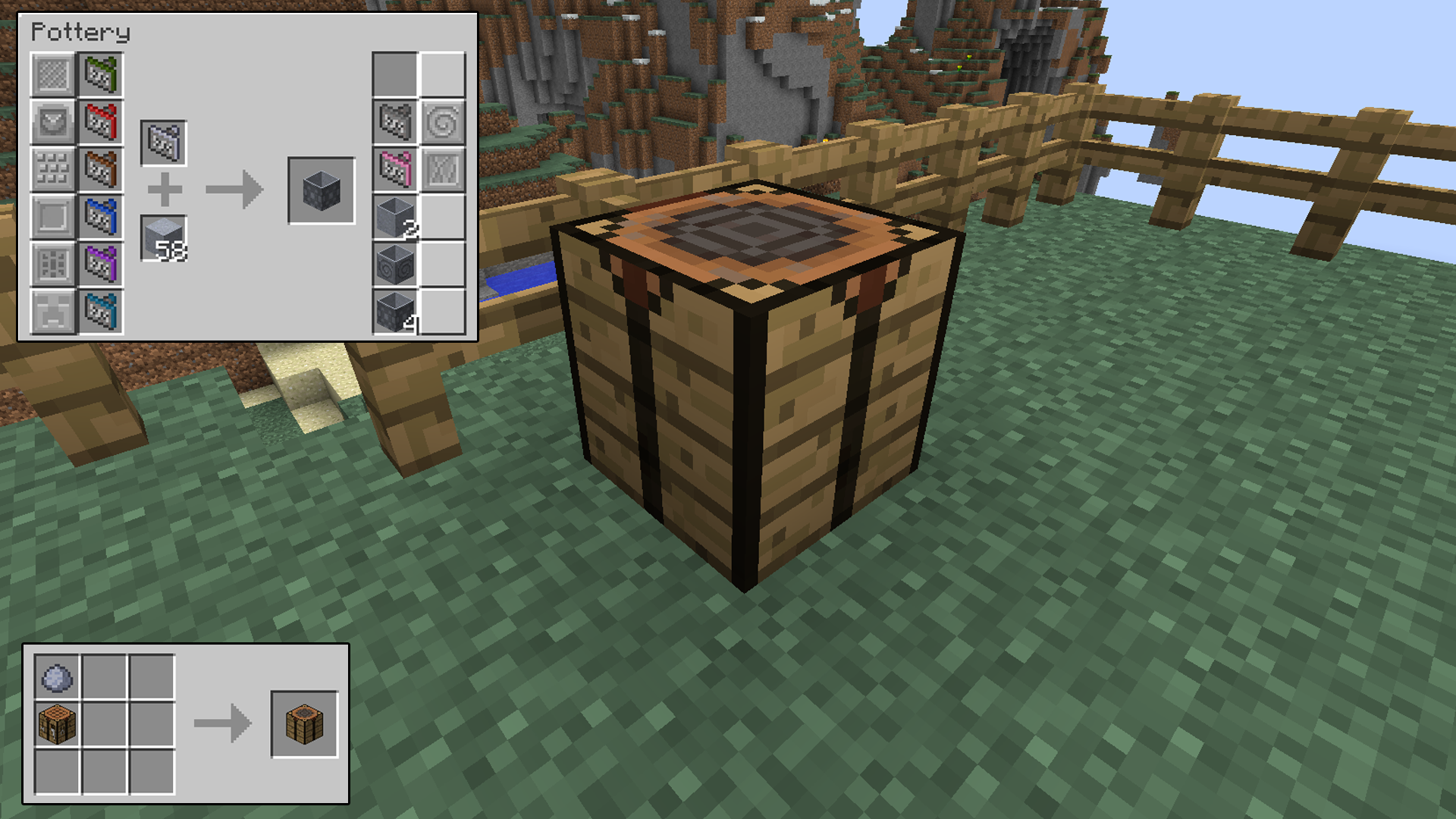
To etch a design on a pot you can take a stamp found in dungeons or traded and apply it directly to raw pots in a crafting table. Or you can craft a pottery table that will save you a significant amount of materials. Typical pots will take 7 blocks of clay to craft. The pottery table will only need one block. Plus you can store all of your stamps in the table’s inventory so you won’t have to carry them around everywhere you go.
PotteryTable
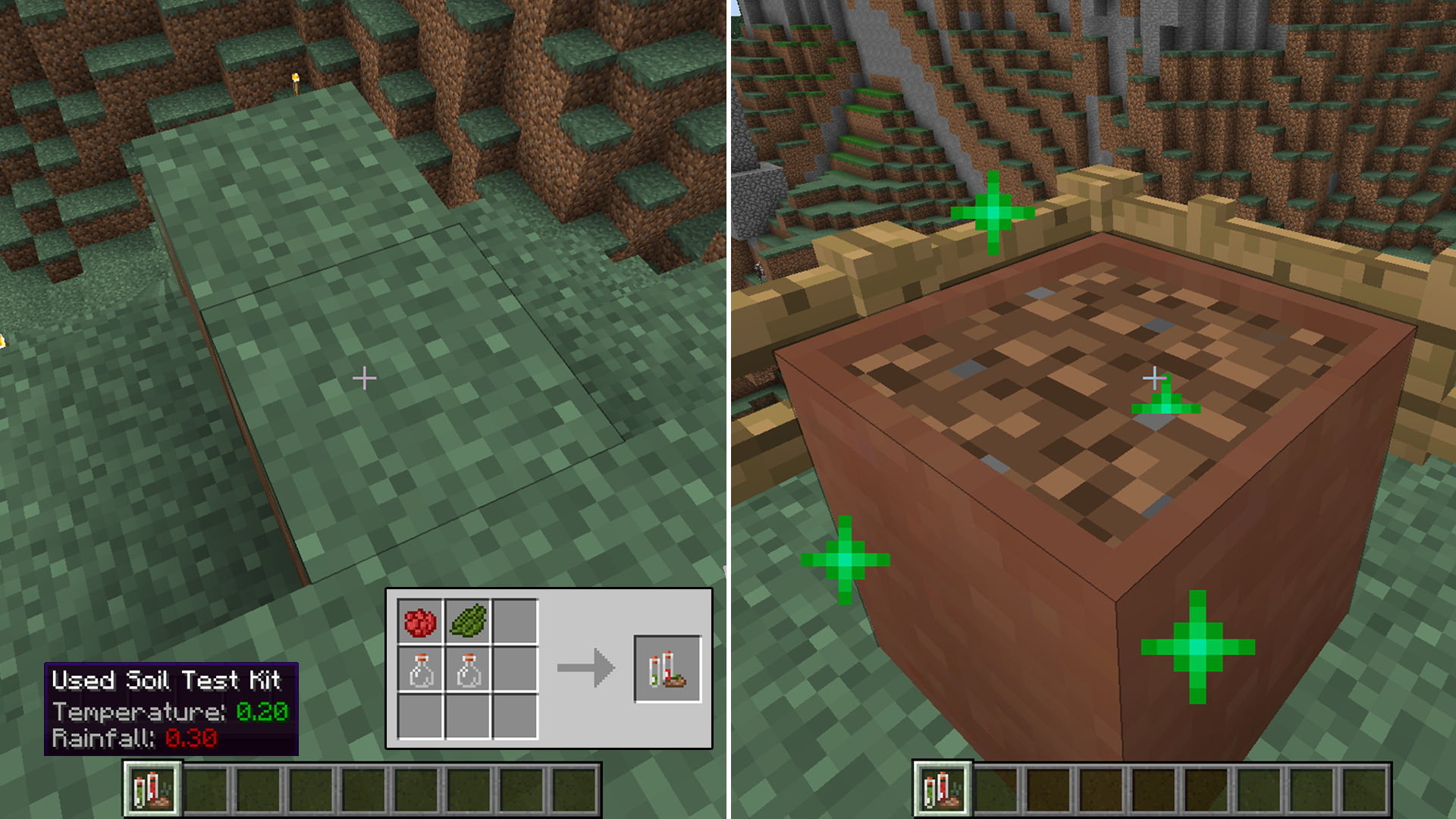
One of the neatest parts of this mod is altering the soil in a pot to match a desired biome. You can take a sample kit and test a specified biome’s soil. It’ll give you detailed information on the biome like temperature and rainfall. Then take that sample to your selected pot and make it take on the same traits. So now you can have a tiny frost biome in your desert homeland.
SampleKit
Download

Monday, August 12, 2019

Extra Buttons

Ever wanted to use a button for a redstone contraption, but just couldn’t figure out how to disguise one well? This is the mod for you!
ExtraButtons1
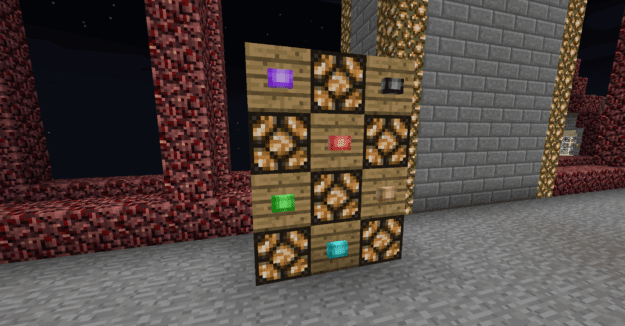
This mod comes packed with button features. There are 16 colors of button, and each lights up when next to a redstone lamp!
ExtraButtons2ExtraButtons3
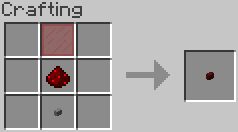
The recipe to craft each one is very simple, all you need is colored stained glass, redstone, and a stone button!
EBRecipe
This mod also has some extra features to help you out with minecart track features!
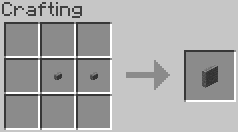
Stone Panel Button: A larger version of the stone button that’s super convenient to hit from a minecart.
SPRecipe
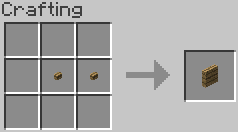
Wood Panel Button: A larger version of the wood button, which is a great block to use as a target for arrows!
WPRecipe
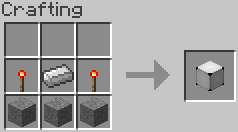
Capacitive Touch Block: A button with no major function. Any part of the block can be pressed to send a redstone signal in all directions. Good to use as an alternative to trapped chests, if you need an easy to hit switch while moving quickly down rail.
CPRecipe
Player Detector Rail: A version of the detector rail that only turns on when a player is in the cart.
PDRecipe
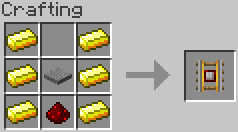
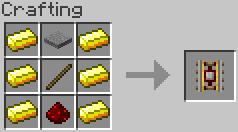
Player Powered Rail: Combines the powered rail and the Player Detector Rail into a single piece. Holds empty carts still, and launches carts when a player gets into them. Also emits a redstone signal!
PPRecipe
Delay Button: A high-tech button that can be set for 4 different delay values. Sneak+Right Click with empty hands to cycle through they delay values. Lot of potential!
DRecipe
Download